Čo máme v aplikáciiWhat we have in the application PojmyTerms Ako to funguje: kto koho voláHow it works: who calls whom Fyzická podoba: priečinky, súbory, kde je čoPhysical form: folders, files, where what is Úlohy na cvičenieLab tasks Obhajoba a live codingDefence and live coding
Dnes sa aplikácia naučí spoznať, kto na nej klikol. HTTP si medzi požiadavkami nič nepamätá: každé kliknutie je pre server nová, neznáma návšteva. Mechanizmus, ktorý to rieši, sa volá session: prehliadač nosí v každej požiadavke malý lístok (cookie) a server má k nemu súbor s hodnotami. Na tom postavíme registráciu, prihlásenie a odhlásenie – tabuľku users, heslá uložené ako hash, triedu Auth – a formulár na nový recept bude len pre prihlásených. Vzorová aplikácia beží na https://sigma.tuke.sk/beata.stehlikova/it/ukazky/cv06/. Pojmy sú v tabuľke pojmov.
Celá stránka sleduje jedného študenta, Jána Nováka: jeho hlavnú entitu recipes (stĺpce id, title, servings, prep_time, instructions, created_at, difficulty_id), jeho RecipeController s index(), show(), create(), store() a novinky(), formulár form.twig, Router s get() a post(), Response::redirect() a Twig templates z minulého cvičenia. Dnes pribudne tabuľka users (Ján Novák sa zaregistruje ako jan s heslom tajne123), UserModel, AuthController a Auth.
Pojmy sú na tejto stránke v angličtine tak, ako ich používa dokumentácia PHP: session, cookie, hash, flash, login, logout, global, stateless. Všetko v src/ je náš kód; session_start(), $_SESSION, password_hash() a password_verify() sú z PHP.
Today the application learns to recognise who clicked. HTTP remembers nothing between requests: every click is a new, unknown visit for the server. The mechanism that solves it is called a session: the browser carries a small ticket (a cookie) in every request and the server has a file with values for it. On top of that we build registration, login and logout – a table users, passwords stored as a hash, the class Auth – and the form for a new recipe will be for logged-in users only. The sample application runs at https://sigma.tuke.sk/beata.stehlikova/it/ukazky/cv06/. The terms are in the table of terms.
The whole page follows one student, Ján Novák: his main entity recipes (columns id, title, servings, prep_time, instructions, created_at, difficulty_id), his RecipeController with index(), show(), create(), store() and novinky(), the form form.twig, Router with get() and post(), Response::redirect() and the Twig templates from the last lab. Today the table users arrives (Ján Novák registers as jan with the password tajne123), UserModel, AuthController and Auth.
The terms on this page are in English as the PHP documentation uses them: session, cookie, hash, flash, login, logout, global, stateless. Everything in src/ is our code; session_start(), $_SESSION, password_hash() and password_verify() are from PHP.
Čo máme v aplikáciiWhat we have in the application
Keď Ján Novák vyplní formulár na nový recept a klikne na Uložiť, stane sa toto (z minulého cvičenia):
- Prehliadač pošle
POST /student/jan.novak/it/cv05/recipess poľami formulára v tele požiadavky. - Apache na sigma.tuke.sk podľa
.htaccessspustíindex.php; pred tým naplní$_SERVER,$_GETa$_POST. index.phpnačítaconfig.phpavendor/autoload.php, zavoláRequest::fromGlobals(), definujeBASE_URL, zaregistruje route a zavolá$router->dispatch($request).Routernájde routePOST /recipes, vytvorínew RecipeController()a zavolástore($request).RecipeController::store()prečíta polia cez$request->post('title'), zavoláRecipeModel::insert($data)a vrátiResponse::redirect('/recipes/5').Response::send()pošle302a hlavičkuLocation; prehliadač sám pošleGET /recipes/5a všetko beží znova od kroku 2.- Pri
GETvráti controller$this->render('show', [...]):view()cez Twig vyrobí HTML zshow.twigalayout.twig.
Kroky 2 až 7 bežia pre každého rovnako: pre Jána Nováka, pre Petra, pre kohokoľvek, kto pozná adresu. Aplikácia pri kroku 4 nevie, kto požiadavku poslal – v $_SERVER, $_GET ani $_POST o tom nič nie je.
Čo sa dnes zmení: v kroku 3 pribudne pred Request::fromGlobals() riadok session_start(). Od neho má aplikácia pole $_SESSION, ktoré PHP uloží na server a pri ďalšej požiadavke toho istého prehliadača vráti naplnené. Do $_SESSION['user_id'] zapíše prihlásenie id používateľa, a create() aj store() sa v kroku 5 najprv pozrú, či tam je. Kroky 2, 4, 6 a 7 používame ďalej bez zmeny.
When Ján Novák fills in the form for a new recipe and clicks Uložiť, this happens (from the last lab):
- The browser sends
POST /student/jan.novak/it/cv05/recipeswith the form fields in the request body. - Apache on sigma.tuke.sk runs
index.phpaccording to.htaccess; before that it fills$_SERVER,$_GETand$_POST. index.phploadsconfig.phpandvendor/autoload.php, callsRequest::fromGlobals(), definesBASE_URL, registers the routes and calls$router->dispatch($request).Routerfinds the routePOST /recipes, createsnew RecipeController()and callsstore($request).RecipeController::store()reads the fields through$request->post('title'), callsRecipeModel::insert($data)and returnsResponse::redirect('/recipes/5').Response::send()sends302and the headerLocation; the browser itself sendsGET /recipes/5and everything runs again from step 2.- At a
GETthe controller returns$this->render('show', [...]):view()builds the HTML fromshow.twigandlayout.twigthrough Twig.
Steps 2 to 7 run the same way for everyone: for Ján Novák, for Peter, for anybody who knows the address. At step 4 the application does not know who sent the request – there is nothing about it in $_SERVER, $_GET or $_POST.
What changes today: in step 3 the line session_start() arrives before Request::fromGlobals(). From it on the application has the array $_SESSION, which PHP stores on the server and returns filled at the next request of the same browser. Login writes the user’s id into $_SESSION['user_id'], and in step 5 create() and store() first look whether it is there. Steps 2, 4, 6 and 7 we keep using without change.
PojmyTerms
HTTP je stateless: každá požiadavka je prvá
Čo Ján Novák chce: aby aplikácia po prihlásení vedela, že ďalšie kliknutie je od neho. Pozrime sa, čo server dostane, keď Ján Novák dvakrát za sebou otvorí stránku Debug:
GET /student/jan.novak/it/cv06/debug HTTP/1.1      ← prvé kliknutie
Host: sigma.tuke.sk
Accept: text/html
GET /student/jan.novak/it/cv06/debug HTTP/1.1      ← druhé kliknutie o minútu neskôr: rovnaké riadky
Host: sigma.tuke.sk
Accept: text/html
Obe požiadavky sú rovnaké. Keby tú istú adresu otvoril Peter z vedľajšieho počítača, server dostane znova tie isté riadky. Po odoslaní odpovede PHP všetko zahodí (premenné, objekty, načítané triedy) a ďalšia požiadavka začína od začiatku index.php – to je význam slova stateless (bez stavu). Aby aplikácia Jána Nováka spoznala, musí druhá požiadavka niesť niečo, čo prvá nemala: značku, ktorú mu server dal v prvej odpovedi. Tou značkou je cookie.
Cookie: lístok, ktorý prehliadač nosí späť
Čo Ján Novák chce: aby prehliadač pri každej požiadavke na sigma.tuke.sk poslal značku od servera. Cookie je dvojica meno=hodnota, ktorú server pošle v odpovedi v hlavičke Set-Cookie, prehliadač si ju uloží k tej doméne a v každej ďalšej požiadavke na tú doménu ju pošle v hlavičke Cookie. Odpoveď servera na prvé kliknutie:
HTTP/1.1 200 OK
Set-Cookie: PHPSESSID=7q608csmmajh0rbggc6jo2746p; path=/     ← „ulož si cookie s menom PHPSESSID a touto hodnotou, posielaj ju pre celý web“
Cache-Control: no-store, no-cache, must-revalidate           ← stránku so session si prehliadač nemá ukladať do cache
Content-Type: text/html; charset=UTF-8
                                                             ← prázdny riadok, potom HTML
Každá ďalšia požiadavka toho istého prehliadača na sigma.tuke.sk:
GET /student/jan.novak/it/cv06/debug HTTP/1.1
Host: sigma.tuke.sk
Cookie: PHPSESSID=7q608csmmajh0rbggc6jo2746p                  ← prehliadač ju pridal sám; Ján Novák nič nerobil
Hodnota 7q608csmmajh0rbggc6jo2746p je náhodný text, ktorý vymyslelo PHP. Nie je v ňom meno ani heslo – je to len číslo lístka. Peter dostane v svojom prehliadači iný lístok, anonymné okno Chrome má vlastné cookies (začína bez lístka) a po zavretí prehliadača cookie bez dátumu platnosti zmizne.
Kde to Ján Novák vidí: F12 → karta Application (Chrome; vo Firefoxe Storage) → vľavo Cookies → https://sigma.tuke.sk → riadok PHPSESSID s hodnotou. V karte Network → klik na riadok požiadavky → Headers: v odpovedi na prvé kliknutie je Set-Cookie, v každej ďalšej požiadavke je Cookie.
session_start() a $_SESSION
Čo Ján Novák chce: mať na serveri miesto, kam si k lístku 7q608csmmajh0rbggc6jo2746p niečo zapíše a pri ďalšej požiadavke s tým istým lístkom to tam nájde. To je session: pole $_SESSION v PHP, ktoré PHP ukladá do súboru na serveri pomenovaného podľa lístka. Zapína ju jeden riadok v index.php:
require __DIR__ . '/vendor/autoload.php';

// Session: PHP prečíta z požiadavky cookie PHPSESSID (napríklad '7q608csmmajh0rbggc6jo2746p'), otvorí na serveri súbor
// session s tým menom a jeho obsah dá do poľa $_SESSION. Keď cookie nie je (prvá návšteva), vyrobí nové id, prázdne
// $_SESSION a do odpovede pridá hlavičku Set-Cookie. Pri konci požiadavky $_SESSION uloží späť do súboru.
// Musí byť pred prvým výstupom.
session_start();

$request = Request::fromGlobals();
Čo session_start() urobí pri každej požiadavke, krok za krokom, všetko na sigma.tuke.sk:
- Pozrie sa do hlavičky
Cookie, či je tamPHPSESSID. Pri prvej návšteve nie je: vymyslí nové id7q608csmmajh0rbggc6jo2746pa pripraví hlavičkuSet-Cookie. - Otvorí súbor
sess_7q608csmmajh0rbggc6jo2746pv priečinku pre sessions na serveri. Ktorý to je, vráti funkcia PHPsession_save_path(); na vzore/var/lib/php/sessions. Pri prvej návšteve súbor nie je –$_SESSIONje[]. - Obsah súboru dá do poľa
$_SESSION. Je to obyčajné pole PHP:$_SESSION['user_id'] = 1zapíše,$_SESSION['user_id']číta,unset($_SESSION['user_id'])zmaže,isset($_SESSION['user_id'])zistí, či kľúč je. - Pri konci požiadavky (po
send()) zapíše$_SESSIONspäť do súboru. Vo súbore je napríkladuser_id|i:1;count|i:3;– kľúč, typ (i= integer) a hodnota.
Pri ďalšej požiadavke s tým istým lístkom krok 1 cookie nájde a krok 3 vráti to, čo krok 4 uložil. Takto hodnota prežije medzi požiadavkami, hoci PHP všetko ostatné zahodilo.
Načo je to dobré, keď to fungovalo aj bez toho: Ján Novák chce na stránke Debug počítadlo, koľkýkrát ju otvoril. Bez session:
$count = 0;                   // každá požiadavka začína od začiatku index.php: $count je vždy nová
$count = $count + 1;          // → 1
// → stránka ukáže 1; po F5 znova 1; po desiatom F5 stále 1
So session, v HomeController::debug():
        // Počítadlo v session: pri prvej návšteve kľúč nie je (?? dá 0), potom 1, 2, 3 … Každý prehliadač má svoje.
        $_SESSION['count'] = ($_SESSION['count'] ?? 0) + 1;
        // 1. požiadavka: $_SESSION je [] → 0 + 1 → $_SESSION['count'] = 1 → PHP uloží do súboru 'count|i:1;'
        // 2. požiadavka (F5): PHP načíta súbor → $_SESSION['count'] je 1 → 1 + 1 = 2
        // anonymné okno: iný lístok, iný súbor, $_SESSION je [] → 1
Výsledok v prehliadači po druhom otvorení (dole na stránke Debug):
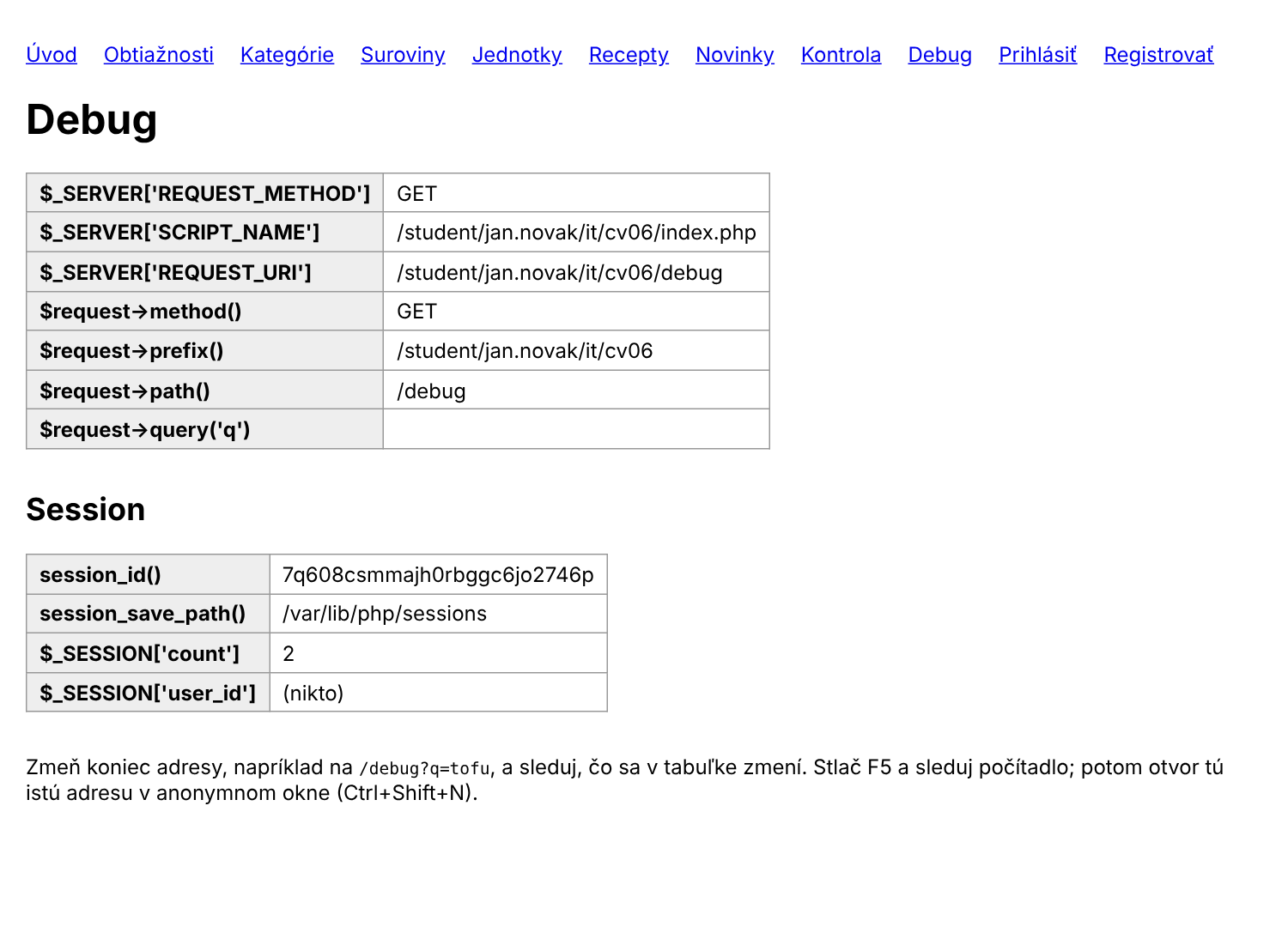
session_id() je funkcia PHP, ktorá vráti id tejto session – ten istý text, čo je v cookie PHPSESSID. Ostatné riadky tabuľky Session sú v časti „Kontrola a debug“. V anonymnom okne (Ctrl+Shift+N, vo Firefoxe Ctrl+Shift+P) tá istá adresa ukáže iné session_id() a count = 1. Prihlásenie je to isté počítadlo, len namiesto čísla otvorení je v session id používateľa.
Tabuľka users a UNIQUE
Čo Ján Novák chce: aby sa dalo zaregistrovať a prihlásiť, potrebuje tabuľku, v ktorej je ku každému menu uložené, čím sa overí heslo. Do sql/schema.sql pribudne:
DROP TABLE IF EXISTS users;        -- k ostatným DROP na začiatku súboru: mazanie pred novým vytvorením

-- Používatelia aplikácie. Heslo sa neukladá; password_hash je výstup funkcie password_hash() (60 znakov, začína $2y$).
-- UNIQUE: dve rovnaké mená databáza odmietne (chyba 23000), preto registrácia najprv hľadá meno cez findByUsername().
CREATE TABLE users (
    id            INT UNSIGNED NOT NULL AUTO_INCREMENT PRIMARY KEY,
    username      VARCHAR(50)  NOT NULL UNIQUE,          -- meno na prihlásenie; UNIQUE = v tabuľke najviac raz
    password_hash VARCHAR(255) NOT NULL,                 -- 60 znakov od password_hash(); 255 je rezerva pre budúce algoritmy
    created_at    DATETIME     NOT NULL DEFAULT CURRENT_TIMESTAMP
) ENGINE=InnoDB DEFAULT CHARSET=utf8mb4 COLLATE=utf8mb4_unicode_ci;
UNIQUE pri username je pravidlo databázy: meno jan môže byť v tabuľke najviac raz. Keby prišiel druhý INSERT s menom jan, databáza ho odmietne a PDO vyhodí výnimku:
SQLSTATE[23000]: Integrity constraint violation: 1062 Duplicate entry 'jan' for key 'username'
Aplikácia sa k tejto chybe nedostane: register() sa pred INSERT opýta findByUsername('jan') a keď meno nájde, vráti formulár s hláškou. UNIQUE ostáva ako poistka pre prípad, že by dva prehliadače odoslali to isté meno v tej istej sekunde.
Tabuľka v Adminer po registrácii Jána Nováka (id 1, username jan, password_hash $2y$10$1ePNCSGG29zL1ZaVJzeoc.BQXVrzkLxdg0fIOdQ07GsVRjra56H4a, created_at od databázy):

password_hash() a password_verify()
Čo Ján Novák chce: aby jeho heslo tajne123 nebolo nikde na serveri zapísané – ani v tabuľke, ani v súbore session – a napriek tomu sa dalo pri prihlásení overiť. PHP má na to password_hash() a password_verify(). password_hash() vyrobí z hesla hash: text, z ktorého sa heslo nedá vypočítať späť, ale dá sa overiť, či bolo z neho vyrobené.
$hash = password_hash('tajne123', PASSWORD_DEFAULT);
// → '$2y$10$1ePNCSGG29zL1ZaVJzeoc.BQXVrzkLxdg0fIOdQ07GsVRjra56H4a'   (60 znakov)
//     $2y$   = algoritmus bcrypt (PASSWORD_DEFAULT; keď PHP pridá lepší, nové hashe budú mať iný začiatok)
//     10$    = koľko kôl výpočtu: 2^10 = 1024; preto trvá asi 50 ms – pre prihlásenie nič, pre hádanie miliónov hesiel veľa
//     ďalších 22 znakov = náhodný salt, ktorý si password_hash() vymyslela; zvyšok = výsledok výpočtu z hesla a salt

$hash2 = password_hash('tajne123', PASSWORD_DEFAULT);
// → '$2y$10$yYzX4kmOpnBs5F7SwtbR2uqE5ysMFcqyr9ton00QSOet64tSvuYw6'   to isté heslo, iný hash: iný salt
password_verify() overí heslo proti hashu. Salt si prečíta z hashu, výpočet zopakuje a porovná:
password_verify('tajne123', $hash);     // → true:  z 'tajne123' a salt v $hash vyjde ten istý zvyšok
password_verify('Tajne123', $hash);     // → false: iné heslo, iný výsledok
password_verify('tajne123', $hash2);    // → true:  aj druhý hash je z 'tajne123', len s iným salt
Ako black box: vstup password_hash() je heslo, výstup 60 znakov do tabuľky. Vstup password_verify() je heslo z formulára a 60 znakov z tabuľky, výstup true alebo false. Heslo samé je v aplikácii len chvíľu: v $_POST a v $password pri registrácii a pri prihlásení; do databázy, do session ani do HTML nejde. Keby niekto získal celú tabuľku users, má 60-znakové texty, z ktorých heslá nevyčíta – a ľudia používajú to isté heslo aj inde.
UserModel: findByUsername() a insert()
Čo Ján Novák chce: model pre tabuľku users, ktorý nájde používateľa podľa mena (prihlásenie, kontrola pri registrácii) a vloží nového. getAll(), getById(), getCount() a delete() zdedí z BaseModel ako číselníky; pridá findByUsername(), insert() a povinné describe(). Celý súbor:
<?php
declare(strict_types=1);

namespace App\Model;

/**
 * Používatelia aplikácie (tabuľka users). getAll(), getById(), getCount() a delete() dedí z BaseModel;
 * pridáva hľadanie podľa mena (prihlásenie, kontrola pri registrácii) a vloženie nového používateľa.
 */
class UserModel extends BaseModel
{
    protected string $table = 'users';

    /**
     * Záznam používateľa podľa mena, alebo null, keď také meno v tabuľke nie je.
     * findByUsername('jan') → ['id' => 1, 'username' => 'jan', 'password_hash' => '$2y$10$…', 'created_at' => '…']
     * findByUsername('peter') → null
     */
    public function findByUsername(string $username): ?array
    {
        $stmt = $this->pdo->prepare("SELECT * FROM users WHERE username = :username");   // meno ide cez parameter, nie do textu SQL
        $stmt->execute([':username' => $username]);
        $row = $stmt->fetch();                                   // pole so záznamom, alebo false, keď nič nenašiel
        return $row === false ? null : $row;
    }

    /**
     * Vloží nového používateľa a vráti jeho id. Druhý parameter je už password hash, nie heslo:
     * insert('jan', password_hash('tajne123', PASSWORD_DEFAULT)) → 1
     * id a created_at dopĺňa databáza sama.
     */
    public function insert(string $username, string $passwordHash): int
    {
        $stmt = $this->pdo->prepare("INSERT INTO users (username, password_hash) VALUES (:username, :password_hash)");
        $stmt->execute([
            ':username'      => $username,
            ':password_hash' => $passwordHash,
        ]);
        return (int) $this->pdo->lastInsertId();                 // id, ktoré databáza pridelila novému riadku
    }

    public function describe(): string
    {
        return 'Používatelia';
    }
}
Výsledok findByUsername('jan') po registrácii je pole ['id' => 1, 'username' => 'jan', 'password_hash' => '$2y$10$1ePNCSGG29zL1ZaVJzeoc.BQXVrzkLxdg0fIOdQ07GsVRjra56H4a', 'created_at' => '2026-11-02 14:09:11']; pred registráciou null.
Auth: kto je prihlásený
Čo Ján Novák chce: aby sa na jednom mieste dalo povedať „prihlás tohto používateľa“, „odhlás“, „je niekto prihlásený?“ a „kto?“ – a aby $_SESSION['user_id'] nepísal v každom controlleri znova. To je trieda Auth v src/Auth.php, zo session.zip. Celý súbor:
<?php
declare(strict_types=1);

namespace App;

use App\Model\UserModel;

/**
 * Auth: kto je prihlásený. Jediné miesto v aplikácii, ktoré zapisuje a číta $_SESSION['user_id'].
 * Všetky metódy sú static: volajú sa bez objektu, Auth::login($user), Auth::logout(), Auth::check(), Auth::id(), Auth::user().
 * $_SESSION existuje vďaka session_start() v index.php; PHP ho pri každej požiadavke naplní zo súboru session na serveri.
 */
final class Auth
{
    /** Prihlási používateľa: do session zapíše jeho id. Volá sa raz, po overení hesla v AuthController::login(). */
    public static function login(array $user): void
    {
        $_SESSION['user_id'] = (int) $user['id'];           // $_SESSION['user_id'] = 1; PHP to pri konci požiadavky uloží do súboru session
    }

    /** Odhlási používateľa: zmaže id zo session. Ostatné hodnoty v session (napríklad flash) ostanú. */
    public static function logout(): void
    {
        unset($_SESSION['user_id']);                        // kľúč zmizne; check() odteraz vracia false
    }

    /** true, keď je niekto prihlásený (v session je user_id); false pre návštevníka bez prihlásenia. */
    public static function check(): bool
    {
        return isset($_SESSION['user_id']);                 // isset: kľúč existuje a nie je null
    }

    /** id prihláseného používateľa zo session, alebo null pre návštevníka. Auth::id() → 1; bez prihlásenia → null. */
    public static function id(): ?int
    {
        return isset($_SESSION['user_id']) ? (int) $_SESSION['user_id'] : null;
    }

    /**
     * Záznam prihláseného používateľa z tabuľky users, alebo null, keď nikto prihlásený nie je.
     * Volá ju view() pri každej stránke, aby layout.twig mohol vypísať meno. password_hash sa z poľa vyhodí:
     * do template nepatrí.  Auth::user() → ['id' => 1, 'username' => 'jan', 'created_at' => '2026-11-02 14:09:11']
     */
    public static function user(): ?array
    {
        if (!self::check()) {
            return null;
        }
        $user = (new UserModel())->getById(self::id());     // SELECT * FROM users WHERE id = 1
        if ($user === null) {                               // id v session, ale záznam už v tabuľke nie je (niekto ho zmazal v Adminer)
            self::logout();
            return null;
        }
        unset($user['password_hash']);
        return $user;
    }
}
static znamená, že metóda patrí triede a volá sa bez objektu: Auth::check(), rovnako ako Request::fromGlobals() a Response::redirect(). self::check() vnútri triedy je to isté ako Auth::check(): self je „táto trieda“, aby sa jej meno v nej samej neopakovalo. ? : v id() je skrátený if: „ak platí podmienka pred ?, výsledok je hodnota pred :, inak hodnota za ním“ – isset(...) ? (int) $_SESSION['user_id'] : null. Objekt tu nie je potrebný – pre požiadavku je vždy tá session, ktorú načítalo session_start(). V session je len id (user_id|i:1;), nie meno ani hash: meno sa pri každej požiadavke načíta z tabuľky, takže keď ho Ján Novák v Adminer zmení, od ďalšieho kliknutia je v menu nové.
Výsledok po prihlásení Jána Nováka: Auth::check() → true, Auth::id() → 1, Auth::user() → ['id' => 1, 'username' => 'jan', 'created_at' => '2026-11-02 14:09:11']. Pred prihlásením: false, null a null.
addGlobal(): premenná v každom template
Čo Ján Novák chce: aby layout.twig – rám každej stránky – vedel vypísať meno prihláseného, bez toho, aby každá metóda každého controllera dávala do poľa pre render() kľúč user. Twig má na to addGlobal(): premenná, ktorú vidí každý template. Pribudne vo funkcii view() v src/helpers.php; celý súbor zo session.zip (nové je use App\Auth, funkcia flash() a tri riadky vo view()):
<?php
declare(strict_types=1);
// Štyri funkcie: e(), url(), flash(), view(). Súbor načíta vendor/autoload.php pri každej požiadavke (composer.json → "files"),
// preto tieto funkcie existujú pre index.php, pre controllery aj pre Twig.
use App\Auth; // naša trieda zo src/Auth.php: kto je prihlásený
use Twig\Environment; // trieda Twigu zo súboru vendor/twig/twig/src/Environment.php
use Twig\Loader\FilesystemLoader; // trieda Twigu, ktorá číta súbory .twig z priečinka
use Twig\TwigFunction; // trieda Twigu, ktorou sa k menu v template priradí PHP funkcia
/** Ošetrí text pre HTML: < > & " nahradí ich HTML zápisom. e('<b>ahoj</b>') vráti '<b>ahoj</b>'.
* V template ju nepíšeš – Twig to robí pri každom {{ }} sám; ostáva pre výpis mimo template. */
function e(?string $text): string
{
return htmlspecialchars((string) $text, ENT_QUOTES, 'UTF-8');
}
/** Z relatívnej adresy vyrobí plnú cestu pre href. url('/recipes/3') vráti '/student/jan.novak/it/cv06/recipes/3'. */
function url(string $path): string
{
return BASE_URL . '/' . ltrim($path, '/'); // BASE_URL = prefix, define() v index.php; ltrim() zmaže lomku na začiatku
}
/**
* Flash message: text, ktorý sa zobrazí na najbližšej stránke a potom zmizne. Zapíše ho do session; prečíta
* a zmaže ho view() pri ďalšej požiadavke. Používa sa pred redirect(): flash('Vitaj, jan.'); return Response::redirect('/');
* → prehliadač otvorí GET / a layout.twig na nej vypíše „Vitaj, jan.“; po F5 už správa nie je.
*/
function flash(string $text): void
{
$_SESSION['flash'] = $text;
}
/** Vyrobí HTML stránky z template views/<name>.twig a vráti ho ako text. Volá ju BaseController::render(),
* ktoré jej odovzdá názov template ('list') a pole hodnôt (['title' => 'Kategórie', 'rows' => [...]]). */
function view(string $name, array $data = []): string
{
$loader = new FilesystemLoader(__DIR__ . '/../views'); // objekt, ktorý bude čítať súbory z priečinka views/
$twig = new Environment($loader, [ // objekt Twigu; dostane loader a dve nastavenia:
'cache' => false, // preložené template neukladá na disk → zmena v .twig platí hneď po uložení
'strict_variables' => true, // premenná, ktorá v poli nie je ({{ titel }}), je chyba s hláškou, nie prázdne miesto
]);
$twig->addFunction(new TwigFunction('url', 'url')); // meno url v template = PHP funkcia url() z tohto súboru
// addGlobal: premenná, ktorú vidí každý template bez toho, aby ju controller dával do poľa.
$twig->addGlobal('user', Auth::user()); // user = pole prihláseného (['id' => 1, 'username' => 'jan', …]) alebo null
$twig->addGlobal('flash', $_SESSION['flash'] ?? ''); // flash = text zo session, alebo '' keď tam nič nie je
unset($_SESSION['flash']); // správa sa zobrazí raz: po prečítaní sa zo session zmaže
return $twig->render($name . '.twig', $data); // $twig->render('list.twig', ['title' => 'Kategórie', 'rows' => [...]]):
// Twig prečíta views/list.twig (a kvôli extends aj layout.twig),
// každý kľúč poľa je v template premenná, vráti text HTML
}
V layout.twig je potom user k dispozícii v každej stránke. Čo Ján Novák dopíše: do <style> vzhľad pre zelený rámček a pre formulár v menu, na koniec <nav> blok s menom:
    <style>
        …
        .flash { background: #e6f4ea; border: 1px solid #9c6; padding: .5rem .8rem; }   {# zelený rámček pre flash message pod nadpisom #}
        nav form { display: inline; }                                                     {# formulár s tlačidlom Odhlásiť ostane v riadku menu #}
    </style>
    …
    {# user = premenná z addGlobal vo view(): pole prihláseného alebo null. null je v if nepravda → else. #}
    {% if user %}
        <form method="post" action="{{ url('/logout') }}">    {# odhlásenie je POST: tlačidlo vo formulári, nie odkaz #}
            Prihlásený: <strong>{{ user.username }}</strong>  {# → Prihlásený: <strong>jan</strong> #}
            <button type="submit">Odhlásiť</button>
        </form>
    {% else %}
        <a href="{{ url('/login') }}">Prihlásiť</a>
        <a href="{{ url('/register') }}">Registrovať</a>
    {% endif %}
</nav>
Výsledok pre prihláseného Jána Nováka:
    <form method="post" action="/student/jan.novak/it/cv06/logout">
        Prihlásený: <strong>jan</strong>
        <button type="submit">Odhlásiť</button>
    </form>
</nav>
Výsledok pre návštevníka bez prihlásenia (user je null):
    <a href="/student/jan.novak/it/cv06/login">Prihlásiť</a>
    <a href="/student/jan.novak/it/cv06/register">Registrovať</a>
</nav>
Ten istý layout.twig, ten istý CategoryController::index() s poľom ['title' => 'Kategórie', 'rows' => $rows] – a stránka Kategórie má v menu meno, lebo user nedal controller, ale view().
Flash message: text, ktorý prežije presmerovanie
Čo Ján Novák chce: po prihlásení vidieť „Vitaj, jan.“ na úvodnej stránke. Prihlásenie je POST /login, ktorý vráti 302 na /; úvodnú stránku vyrobí až ďalšia požiadavka GET /, a tá o prihlásení nič nevie. Text teda musí prežiť jednu požiadavku – to je presne to, čo vie session. Takému textu sa hovorí flash: zapíše sa pred presmerovaním, zobrazí sa raz, zmizne.
// v AuthController::login(), po overení hesla:
flash('Vitaj, jan.');                      // $_SESSION['flash'] = 'Vitaj, jan.'; PHP uloží do súboru session
return Response::redirect('/');            // 302; prehliadač pošle GET /

// ďalšia požiadavka GET /: session_start() načíta súbor; HomeController::index() → render('home') → view('home'):
$twig->addGlobal('flash', $_SESSION['flash'] ?? '');     // flash = 'Vitaj, jan.'
unset($_SESSION['flash']);                               // zo session preč; pri F5 bude flash = ''
V layout.twig pod nadpisom:
<h1>{{ title }}</h1>
{% if flash %}                              {# flash = premenná z addGlobal vo view(): text zo session alebo '' #}
    <p class="flash">{{ flash }}</p>        {# → <p class="flash">Vitaj, jan.</p>; pri ďalšej stránke už flash = '' #}
{% endif %}
Výsledok po prihlásení:
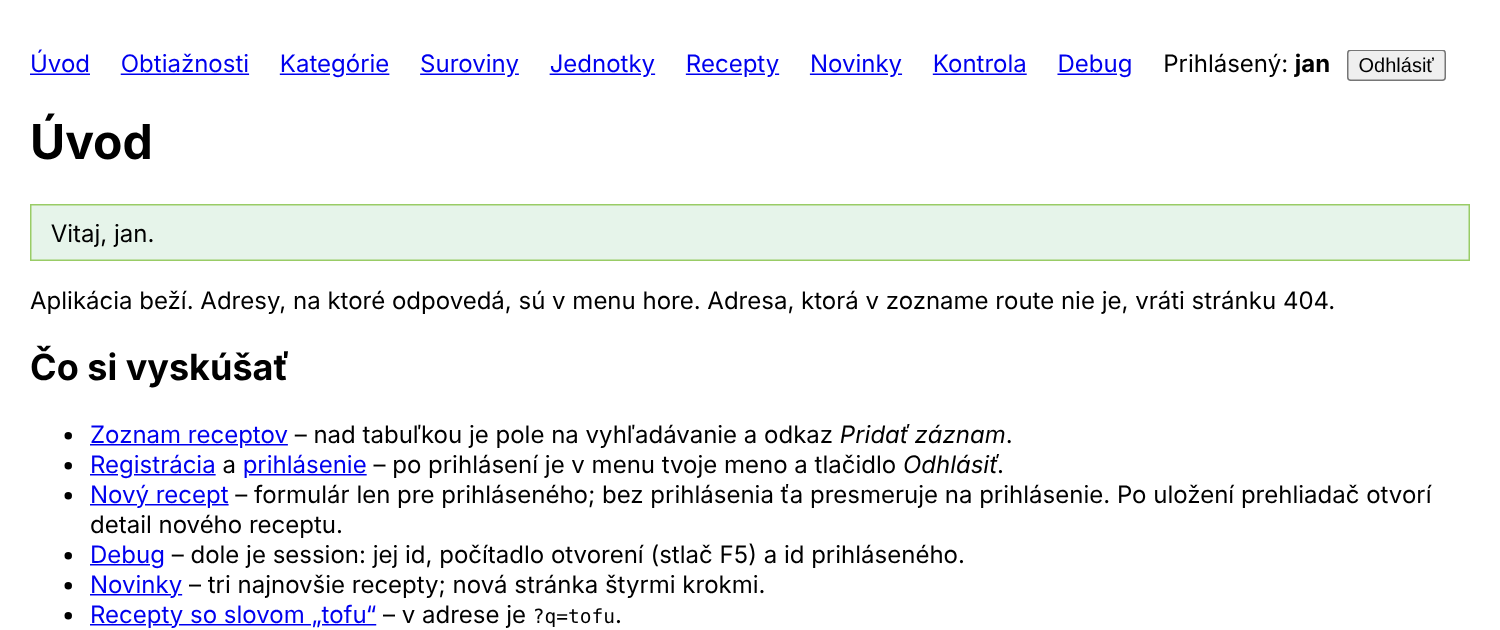
Po F5 je stránka rovnaká bez zeleného rámčeka. Flash messages v aplikácii: „Účet jan je vytvorený. Prihlás sa.“ (po registrácii), „Vitaj, jan.“ (po prihlásení), „Si odhlásený.“ (po odhlásení), „Na pridanie receptu sa najprv prihlás.“ (pri pokuse o formulár bez prihlásenia).
Formulár s heslom: type=“password”
Čo Ján Novák chce: formulár na registráciu, v ktorom heslo pri písaní nevidno a po chybe sa do stránky nevráti. Template register.twig zo session.zip, stavaná ako form.twig (old, error):
{# Registrácia. Premenné z poľa od AuthController::registerForm() alebo register():
   title, old (pri prvom zobrazení []; po chybe ['username' => 'jan']), error (text hlášky alebo ''). #}
{% extends "layout.twig" %}
{% block content %}
{% if error %}
    <p class="error">{{ error }}</p>                {# → <p class="error">Meno jan už niekto používa.</p> #}
{% endif %}
<form method="post" action="{{ url('/register') }}">    {# POST na url('/register') → Router nájde post('/register', …) → register() #}
    <label>Meno
        <input type="text" name="username" value="{{ old.username|default('') }}" required>
        {# name="username": register() ho číta cez post('username'). Po chybe sa meno vráti z old. #}
    </label>
    <label>Heslo
        <input type="password" name="password" required>
        {# type="password": prehliadač ukazuje bodky. Pole nemá value: heslo sa do HTML nikdy nevracia, ani po chybe. #}
    </label>
    <button type="submit">Vytvoriť účet</button>
</form>
<p>Už máš účet? <a href="{{ url('/login') }}">Prihlás sa</a>.</p>
{% endblock %}
Výsledok GET /register (časť content, old je [], error je ''):
<form method="post" action="/student/jan.novak/it/cv06/register">
    <label>Meno
        <input type="text" name="username" value="" required>
    </label>
    <label>Heslo
        <input type="password" name="password" required>
    </label>
    <button type="submit">Vytvoriť účet</button>
</form>
<p>Už máš účet? <a href="/student/jan.novak/it/cv06/login">Prihlás sa</a>.</p>
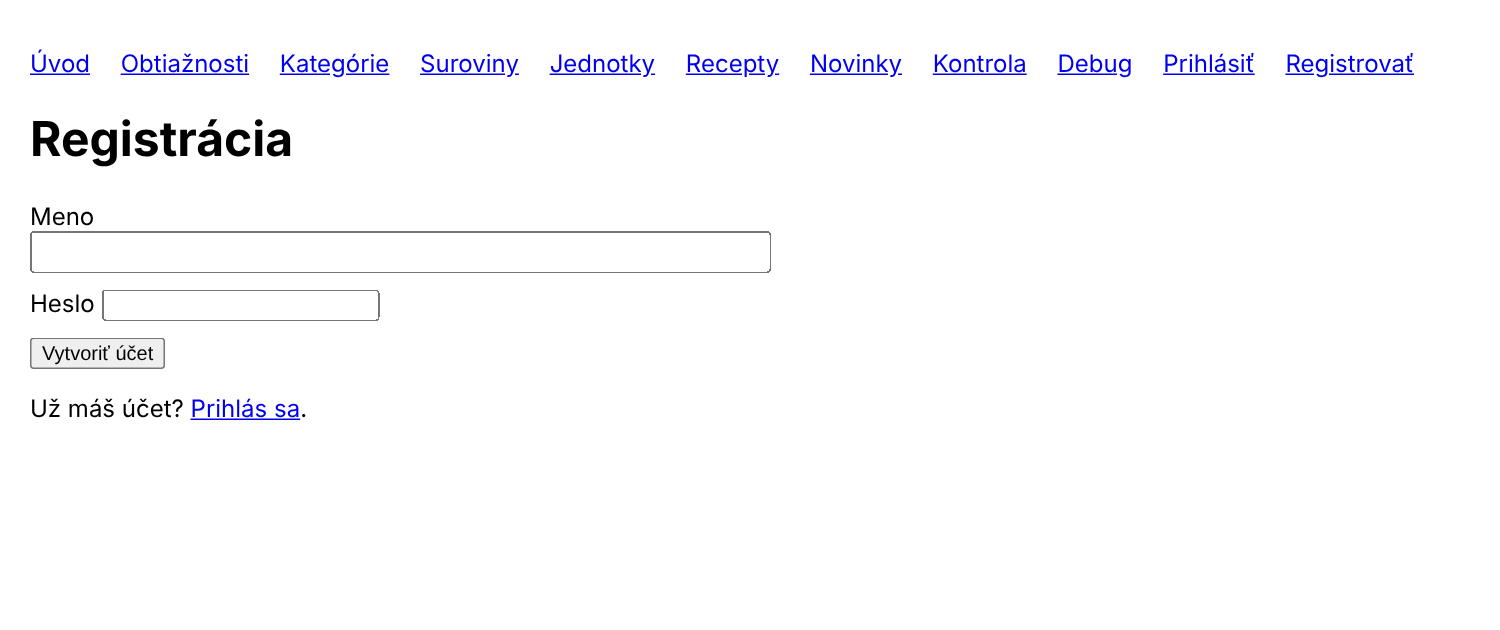
type="password" mení len zobrazenie v prehliadači: v tele požiadavky POST ide heslo ako obyčajný text username=jan&password=tajne123. Chráni ho https:// v adrese (šifrované spojenie), nie typ poľa. login.twig je rovnaký formulár s action="{{ url('/login') }}" a tlačidlom Prihlásiť.
POST /logout: tlačidlo, nie odkaz
Čo Ján Novák chce: odhlásiť sa kliknutím. Odhlásenie mení stav na serveri (zmaže user_id zo session), a každá zmena stavu ide v aplikácii cez POST: uloženie receptu, registrácia, prihlásenie. Odkaz <a href> posiela GET, a GET požiadavky posielajú aj programy bez kliknutia: prehliadač pri prednačítaní stránok, ktoré by si mohol otvoriť, alebo robot, ktorý prešiel všetky odkazy na stránke – a Ján Novák by bol odhlásený bez toho, aby chcel. Preto je Odhlásiť tlačidlo vo formulári v layout.twig (vyššie pri addGlobal) a v index.php je len post('/logout', …):
$router->post('/logout', [AuthController::class, 'logout']); // POST: zmaže id zo session, 302 na /
Výsledok: kliknutie na tlačidlo pošle POST /student/jan.novak/it/cv06/logout s prázdnym telom; GET …/cv06/logout napísaný do adresy vráti stránku 404, lebo route pre GET /logout v zozname nie je.
HTTP is stateless: every request is the first one
What Ján Novák wants: after logging in, the application should know that the next click is his. Let us look at what the server receives when Ján Novák opens the Debug page twice in a row:
GET /student/jan.novak/it/cv06/debug HTTP/1.1      ← first click
Host: sigma.tuke.sk
Accept: text/html
GET /student/jan.novak/it/cv06/debug HTTP/1.1      ← second click a minute later: the same lines
Host: sigma.tuke.sk
Accept: text/html
Both requests are the same. If Peter opened the same address from the next computer, the server would receive the same lines again. After sending the response PHP throws everything away (variables, objects, loaded classes) and the next request starts from the beginning of index.php – that is the meaning of the word stateless. For the application to recognise Ján Novák, the second request must carry something the first one did not have: a mark the server gave him in the first response. That mark is the cookie.
Cookie: the ticket the browser brings back
What Ján Novák wants: the browser to send the server’s mark with every request to sigma.tuke.sk. A cookie is a pair name=value that the server sends in the response in the header Set-Cookie; the browser stores it for that domain and sends it in the header Cookie in every further request to that domain. The server’s response to the first click:
HTTP/1.1 200 OK
Set-Cookie: PHPSESSID=7q608csmmajh0rbggc6jo2746p; path=/     ← "store a cookie named PHPSESSID with this value, send it for the whole site"
Cache-Control: no-store, no-cache, must-revalidate           ← a page with a session is not to be cached by the browser
Content-Type: text/html; charset=UTF-8
                                                             ← empty line, then the HTML
Every further request of the same browser to sigma.tuke.sk:
GET /student/jan.novak/it/cv06/debug HTTP/1.1
Host: sigma.tuke.sk
Cookie: PHPSESSID=7q608csmmajh0rbggc6jo2746p                  ← the browser added it itself; Ján Novák did nothing
The value 7q608csmmajh0rbggc6jo2746p is a random text invented by PHP. There is no name and no password in it – it is just a ticket number. Peter gets a different ticket in his browser, an incognito window of Chrome has its own cookies (it starts without a ticket) and after the browser is closed a cookie without an expiry date disappears.
Where Ján Novák sees it: F12 → tab Application (Chrome; Storage in Firefox) → on the left Cookies → https://sigma.tuke.sk → the row PHPSESSID with the value. In the Network tab → click on the request row → Headers: the response to the first click has Set-Cookie, every further request has Cookie.
session_start() and $_SESSION
What Ján Novák wants: a place on the server where he can write something next to the ticket 7q608csmmajh0rbggc6jo2746p and find it there at the next request with the same ticket. That is the session: the array $_SESSION in PHP, which PHP stores in a file on the server named after the ticket. One line in index.php switches it on:
require __DIR__ . '/vendor/autoload.php';

// Session: PHP reads the cookie PHPSESSID from the request (for example '7q608csmmajh0rbggc6jo2746p'), opens the session
// file with that name on the server and puts its content into the array $_SESSION. When there is no cookie (first visit),
// it makes a new id, an empty $_SESSION and adds the header Set-Cookie to the response. At the end of the request it
// stores $_SESSION back into the file. Must come before the first output.
session_start();

$request = Request::fromGlobals();
What session_start() does at every request, step by step, all on sigma.tuke.sk:
- It looks into the header
CookieforPHPSESSID. At the first visit it is not there: it invents a new id7q608csmmajh0rbggc6jo2746pand prepares the headerSet-Cookie. - It opens the file
sess_7q608csmmajh0rbggc6jo2746pin the sessions folder on the server. Which one it is, the PHP functionsession_save_path()returns; on the sample/var/lib/php/sessions. At the first visit the file does not exist –$_SESSIONis[]. - It puts the file content into the array
$_SESSION. It is an ordinary PHP array:$_SESSION['user_id'] = 1writes,$_SESSION['user_id']reads,unset($_SESSION['user_id'])deletes,isset($_SESSION['user_id'])tells whether the key is there. - At the end of the request (after
send()) it writes$_SESSIONback into the file. The file contains for exampleuser_id|i:1;count|i:3;– key, type (i= integer) and value.
At the next request with the same ticket, step 1 finds the cookie and step 3 returns what step 4 stored. This way a value survives between requests, although PHP threw everything else away.
What it is good for, when it worked without it: Ján Novák wants a counter on the Debug page of how many times he opened it. Without a session:
$count = 0;                   // every request starts from the beginning of index.php: $count is always new
$count = $count + 1;          // → 1
// → the page shows 1; after F5 again 1; after the tenth F5 still 1
With a session, in HomeController::debug():
        // Counter in the session: at the first visit the key is not there (?? gives 0), then 1, 2, 3 … Every browser has its own.
        $_SESSION['count'] = ($_SESSION['count'] ?? 0) + 1;
        // 1st request: $_SESSION is [] → 0 + 1 → $_SESSION['count'] = 1 → PHP stores 'count|i:1;' into the file
        // 2nd request (F5): PHP loads the file → $_SESSION['count'] is 1 → 1 + 1 = 2
        // incognito window: another ticket, another file, $_SESSION is [] → 1
The result in the browser after the second opening (at the bottom of the Debug page):
session_id() is a PHP function that returns the id of this session – the same text as in the cookie PHPSESSID. The other rows of the Session table are in the part “Check and debug”. In an incognito window (Ctrl+Shift+N, in Firefox Ctrl+Shift+P) the same address shows a different session_id() and count = 1. Login is the same counter, only instead of the number of openings the session holds the user’s id.
The table users and UNIQUE
What Ján Novák wants: to be able to register and log in, he needs a table where for every name there is something stored to verify the password with. This arrives in sql/schema.sql:
DROP TABLE IF EXISTS users;        -- next to the other DROPs at the start of the file: deleting before creating anew

-- Users of the application. The password is not stored; password_hash is the output of password_hash() (60 characters, starts with $2y$).
-- UNIQUE: the database refuses two equal names (error 23000), so registration first looks the name up through findByUsername().
CREATE TABLE users (
    id            INT UNSIGNED NOT NULL AUTO_INCREMENT PRIMARY KEY,
    username      VARCHAR(50)  NOT NULL UNIQUE,          -- login name; UNIQUE = at most once in the table
    password_hash VARCHAR(255) NOT NULL,                 -- 60 characters from password_hash(); 255 is a reserve for future algorithms
    created_at    DATETIME     NOT NULL DEFAULT CURRENT_TIMESTAMP
) ENGINE=InnoDB DEFAULT CHARSET=utf8mb4 COLLATE=utf8mb4_unicode_ci;
UNIQUE at username is a rule of the database: the name jan may be in the table at most once. If a second INSERT with the name jan came, the database would refuse it and PDO would throw an exception:
SQLSTATE[23000]: Integrity constraint violation: 1062 Duplicate entry 'jan' for key 'username'
The application does not get to this error: before the INSERT, register() asks findByUsername('jan') and when it finds the name, it returns the form with a message. UNIQUE stays as a safeguard for the case that two browsers submitted the same name in the same second.
The table in Adminer after Ján Novák’s registration (id 1, username jan, password_hash $2y$10$1ePNCSGG29zL1ZaVJzeoc.BQXVrzkLxdg0fIOdQ07GsVRjra56H4a, created_at from the database):
password_hash() and password_verify()
What Ján Novák wants: his password tajne123 written nowhere on the server – neither in the table nor in the session file – and still verifiable at login. PHP has password_hash() and password_verify() for that. password_hash() makes a hash from the password: a text from which the password cannot be computed back, but it can be verified whether it was made from it.
$hash = password_hash('tajne123', PASSWORD_DEFAULT);
// → '$2y$10$1ePNCSGG29zL1ZaVJzeoc.BQXVrzkLxdg0fIOdQ07GsVRjra56H4a'   (60 characters)
//     $2y$   = the algorithm bcrypt (PASSWORD_DEFAULT; when PHP adds a better one, new hashes will start differently)
//     10$    = how many rounds of computation: 2^10 = 1024; that is why it takes about 50 ms – nothing for a login, a lot for guessing millions of passwords
//     next 22 characters = a random salt that password_hash() invented; the rest = the result computed from the password and the salt

$hash2 = password_hash('tajne123', PASSWORD_DEFAULT);
// → '$2y$10$yYzX4kmOpnBs5F7SwtbR2uqE5ysMFcqyr9ton00QSOet64tSvuYw6'   the same password, a different hash: a different salt
password_verify() verifies a password against a hash. It reads the salt from the hash, repeats the computation and compares:
password_verify('tajne123', $hash);     // → true:  from 'tajne123' and the salt in $hash the same rest comes out
password_verify('Tajne123', $hash);     // → false: a different password, a different result
password_verify('tajne123', $hash2);    // → true:  the second hash is from 'tajne123' too, only with a different salt
As a black box: the input of password_hash() is the password, the output is 60 characters for the table. The input of password_verify() is the password from the form and the 60 characters from the table, the output is true or false. The password itself is in the application only for a moment: in $_POST and in $password at registration and at login; it goes neither into the database, nor into the session, nor into the HTML. If somebody obtained the whole table users, they would have 60-character texts from which they cannot read the passwords – and people use the same password elsewhere too.
UserModel: findByUsername() and insert()
What Ján Novák wants: a model for the table users that finds a user by name (login, check at registration) and inserts a new one. getAll(), getById(), getCount() and delete() it inherits from BaseModel like the lookup tables; it adds findByUsername(), insert() and the required describe(). The whole file:
<?php
declare(strict_types=1);

namespace App\Model;

/**
 * Users of the application (table users). getAll(), getById(), getCount() and delete() are inherited from BaseModel;
 * it adds a lookup by name (login, check at registration) and inserting a new user.
 */
class UserModel extends BaseModel
{
    protected string $table = 'users';

    /**
     * The user's record by name, or null when there is no such name in the table.
     * findByUsername('jan') → ['id' => 1, 'username' => 'jan', 'password_hash' => '$2y$10$…', 'created_at' => '…']
     * findByUsername('peter') → null
     */
    public function findByUsername(string $username): ?array
    {
        $stmt = $this->pdo->prepare("SELECT * FROM users WHERE username = :username");   // the name goes through a parameter, not into the SQL text
        $stmt->execute([':username' => $username]);
        $row = $stmt->fetch();                                   // the array with the record, or false when nothing was found
        return $row === false ? null : $row;
    }

    /**
     * Inserts a new user and returns their id. The second parameter is already the password hash, not the password:
     * insert('jan', password_hash('tajne123', PASSWORD_DEFAULT)) → 1
     * id and created_at are filled in by the database itself.
     */
    public function insert(string $username, string $passwordHash): int
    {
        $stmt = $this->pdo->prepare("INSERT INTO users (username, password_hash) VALUES (:username, :password_hash)");
        $stmt->execute([
            ':username'      => $username,
            ':password_hash' => $passwordHash,
        ]);
        return (int) $this->pdo->lastInsertId();                 // the id the database assigned to the new row
    }

    public function describe(): string
    {
        return 'Používatelia';
    }
}
The result of findByUsername('jan') after registration is the array ['id' => 1, 'username' => 'jan', 'password_hash' => '$2y$10$1ePNCSGG29zL1ZaVJzeoc.BQXVrzkLxdg0fIOdQ07GsVRjra56H4a', 'created_at' => '2026-11-02 14:09:11']; before registration null.
Auth: who is logged in
What Ján Novák wants: one place where he can say “log this user in”, “log out”, “is anybody logged in?” and “who?” – without writing $_SESSION['user_id'] again in every controller. That is the class Auth in src/Auth.php, from session.zip. The whole file:
<?php
declare(strict_types=1);

namespace App;

use App\Model\UserModel;

/**
 * Auth: who is logged in. The only place in the application that writes and reads $_SESSION['user_id'].
 * All methods are static: they are called without an object, Auth::login($user), Auth::logout(), Auth::check(), Auth::id(), Auth::user().
 * $_SESSION exists thanks to session_start() in index.php; PHP fills it at every request from the session file on the server.
 */
final class Auth
{
    /** Logs the user in: writes their id into the session. Called once, after the password check in AuthController::login(). */
    public static function login(array $user): void
    {
        $_SESSION['user_id'] = (int) $user['id'];           // $_SESSION['user_id'] = 1; PHP stores it into the session file at the end of the request
    }

    /** Logs the user out: deletes the id from the session. The other values in the session (for example flash) stay. */
    public static function logout(): void
    {
        unset($_SESSION['user_id']);                        // the key disappears; check() returns false from now on
    }

    /** true when somebody is logged in (user_id is in the session); false for a visitor without login. */
    public static function check(): bool
    {
        return isset($_SESSION['user_id']);                 // isset: the key exists and is not null
    }

    /** The logged-in user's id from the session, or null for a visitor. Auth::id() → 1; without login → null. */
    public static function id(): ?int
    {
        return isset($_SESSION['user_id']) ? (int) $_SESSION['user_id'] : null;
    }

    /**
     * The logged-in user's record from the table users, or null when nobody is logged in.
     * view() calls it at every page so that layout.twig can print the name. password_hash is thrown out of the array:
     * it does not belong in a template.  Auth::user() → ['id' => 1, 'username' => 'jan', 'created_at' => '2026-11-02 14:09:11']
     */
    public static function user(): ?array
    {
        if (!self::check()) {
            return null;
        }
        $user = (new UserModel())->getById(self::id());     // SELECT * FROM users WHERE id = 1
        if ($user === null) {                               // id in the session, but the record is no longer in the table (somebody deleted it in Adminer)
            self::logout();
            return null;
        }
        unset($user['password_hash']);
        return $user;
    }
}
static means that the method belongs to the class and is called without an object: Auth::check(), just like Request::fromGlobals() and Response::redirect(). self::check() inside the class is the same as Auth::check(): self is “this class”, so that its name is not repeated inside itself. ? : in id() is a short if: “if the condition before ? holds, the result is the value before :, otherwise the value after it” – isset(...) ? (int) $_SESSION['user_id'] : null. An object is not needed here – for a request there is always the session that session_start() loaded. The session holds only the id (user_id|i:1;), not the name or the hash: the name is loaded from the table at every request, so when Ján Novák changes it in Adminer, the menu shows the new one from the next click on.
The result after Ján Novák logs in: Auth::check() → true, Auth::id() → 1, Auth::user() → ['id' => 1, 'username' => 'jan', 'created_at' => '2026-11-02 14:09:11']. Before login: false, null and null.
addGlobal(): a variable in every template
What Ján Novák wants: layout.twig – the frame of every page – to be able to print the logged-in user’s name, without every method of every controller putting the key user into the array for render(). Twig has addGlobal() for that: a variable that every template sees. It arrives in the function view() in src/helpers.php; the whole file from session.zip (new are use App\Auth, the function flash() and three lines in view()):
<?php
declare(strict_types=1);
// Four functions: e(), url(), flash(), view(). vendor/autoload.php loads this file at every request (composer.json → "files"),
// so these functions exist for index.php, for the controllers and for Twig.
use App\Auth; // our class from src/Auth.php: who is logged in
use Twig\Environment; // Twig class from the file vendor/twig/twig/src/Environment.php
use Twig\Loader\FilesystemLoader; // Twig class that reads .twig files from a folder
use Twig\TwigFunction; // Twig class through which a PHP function is assigned to a name in a template
/** Escapes text for HTML: replaces < > & " with their HTML form. e('<b>ahoj</b>') returns '<b>ahoj</b>'.
* You do not write it in a template – Twig does it at every {{ }} itself; it stays for output outside templates. */
function e(?string $text): string
{
return htmlspecialchars((string) $text, ENT_QUOTES, 'UTF-8');
}
/** Makes the full path for href from a relative address. url('/recipes/3') returns '/student/jan.novak/it/cv06/recipes/3'. */
function url(string $path): string
{
return BASE_URL . '/' . ltrim($path, '/'); // BASE_URL = the prefix, define() in index.php; ltrim() removes the slash at the start
}
/**
* Flash message: a text shown on the next page and then gone. Writes it into the session; view() reads and deletes it
* at the next request. Used before redirect(): flash('Vitaj, jan.'); return Response::redirect('/');
* → the browser opens GET / and layout.twig prints "Vitaj, jan." on it; after F5 the message is gone.
*/
function flash(string $text): void
{
$_SESSION['flash'] = $text;
}
/** Builds the page HTML from the template views/<name>.twig and returns it as text. BaseController::render() calls it
* and passes it the template name ('list') and the array of values (['title' => 'Kategórie', 'rows' => [...]]). */
function view(string $name, array $data = []): string
{
$loader = new FilesystemLoader(__DIR__ . '/../views'); // an object that will read files from the folder views/
$twig = new Environment($loader, [ // the Twig object; it gets the loader and two settings:
'cache' => false, // compiled templates are not stored on disk → a change in .twig applies right after saving
'strict_variables' => true, // a variable that is not in the array ({{ titel }}) is an error with a message, not an empty spot
]);
$twig->addFunction(new TwigFunction('url', 'url')); // the name url in a template = the PHP function url() from this file
// addGlobal: a variable that every template sees without the controller putting it into the array.
$twig->addGlobal('user', Auth::user()); // user = the logged-in user's array (['id' => 1, 'username' => 'jan', …]) or null
$twig->addGlobal('flash', $_SESSION['flash'] ?? ''); // flash = the text from the session, or '' when there is nothing
unset($_SESSION['flash']); // the message is shown once: after reading it is deleted from the session
return $twig->render($name . '.twig', $data); // $twig->render('list.twig', ['title' => 'Kategórie', 'rows' => [...]]):
// Twig reads views/list.twig (and because of extends also layout.twig),
// every key of the array is a variable in the template, returns the HTML text
}
In layout.twig user is then available in every page. What Ján Novák adds: the look of the green box and of the form in the menu into <style>, the block with the name at the end of <nav>:
    <style>
        …
        .flash { background: #e6f4ea; border: 1px solid #9c6; padding: .5rem .8rem; }   {# the green box for the flash message under the heading #}
        nav form { display: inline; }                                                     {# the form with the button Odhlásiť stays in the menu line #}
    </style>
    …
    {# user = the variable from addGlobal in view(): the logged-in user's array or null. null is false in an if → else. #}
    {% if user %}
        <form method="post" action="{{ url('/logout') }}">    {# logout is a POST: a button in a form, not a link #}
            Prihlásený: <strong>{{ user.username }}</strong>  {# → Prihlásený: <strong>jan</strong> #}
            <button type="submit">Odhlásiť</button>
        </form>
    {% else %}
        <a href="{{ url('/login') }}">Prihlásiť</a>
        <a href="{{ url('/register') }}">Registrovať</a>
    {% endif %}
</nav>
The result for the logged-in Ján Novák:
    <form method="post" action="/student/jan.novak/it/cv06/logout">
        Prihlásený: <strong>jan</strong>
        <button type="submit">Odhlásiť</button>
    </form>
</nav>
The result for a visitor without login (user is null):
    <a href="/student/jan.novak/it/cv06/login">Prihlásiť</a>
    <a href="/student/jan.novak/it/cv06/register">Registrovať</a>
</nav>
The same layout.twig, the same CategoryController::index() with the array ['title' => 'Kategórie', 'rows' => $rows] – and the Kategórie page has the name in the menu, because user was not given by the controller but by view().
Flash message: a text that survives a redirect
What Ján Novák wants: to see “Vitaj, jan.” on the home page after logging in. Login is POST /login, which returns 302 to /; the home page is built only by the next request GET /, and that one knows nothing about the login. So the text must survive one request – which is exactly what a session can do. Such a text is called a flash: it is written before the redirect, shown once, gone.
// in AuthController::login(), after the password check:
flash('Vitaj, jan.');                      // $_SESSION['flash'] = 'Vitaj, jan.'; PHP stores it into the session file
return Response::redirect('/');            // 302; the browser sends GET /

// next request GET /: session_start() loads the file; HomeController::index() → render('home') → view('home'):
$twig->addGlobal('flash', $_SESSION['flash'] ?? '');     // flash = 'Vitaj, jan.'
unset($_SESSION['flash']);                               // out of the session; at F5 flash will be ''
In layout.twig under the heading:
<h1>{{ title }}</h1>
{% if flash %}                              {# flash = the variable from addGlobal in view(): the text from the session or '' #}
    <p class="flash">{{ flash }}</p>        {# → <p class="flash">Vitaj, jan.</p>; at the next page flash = '' already #}
{% endif %}
The result after login:
After F5 the page is the same without the green box. Flash messages in the application: “Účet jan je vytvorený. Prihlás sa.” (after registration), “Vitaj, jan.” (after login), “Si odhlásený.” (after logout), “Na pridanie receptu sa najprv prihlás.” (at an attempt to open the form without login).
A form with a password: type=“password”
What Ján Novák wants: a registration form in which the password is not visible while typing and does not come back into the page after an error. The template register.twig from session.zip, built like form.twig (old, error):
{# Registration. Variables from the array from AuthController::registerForm() or register():
   title, old (at the first display []; after an error ['username' => 'jan']), error (the message text or ''). #}
{% extends "layout.twig" %}
{% block content %}
{% if error %}
    <p class="error">{{ error }}</p>                {# → <p class="error">Meno jan už niekto používa.</p> #}
{% endif %}
<form method="post" action="{{ url('/register') }}">    {# POST to url('/register') → the Router finds post('/register', …) → register() #}
    <label>Meno
        <input type="text" name="username" value="{{ old.username|default('') }}" required>
        {# name="username": register() reads it through post('username'). After an error the name comes back from old. #}
    </label>
    <label>Heslo
        <input type="password" name="password" required>
        {# type="password": the browser shows dots. The field has no value: the password never comes back into the HTML, not even after an error. #}
    </label>
    <button type="submit">Vytvoriť účet</button>
</form>
<p>Už máš účet? <a href="{{ url('/login') }}">Prihlás sa</a>.</p>
{% endblock %}
The result of GET /register (the content part, old is [], error is ''):
<form method="post" action="/student/jan.novak/it/cv06/register">
    <label>Meno
        <input type="text" name="username" value="" required>
    </label>
    <label>Heslo
        <input type="password" name="password" required>
    </label>
    <button type="submit">Vytvoriť účet</button>
</form>
<p>Už máš účet? <a href="/student/jan.novak/it/cv06/login">Prihlás sa</a>.</p>
type="password" changes only the display in the browser: in the body of the POST request the password goes as plain text username=jan&password=tajne123. It is protected by https:// in the address (an encrypted connection), not by the field type. login.twig is the same form with action="{{ url('/login') }}" and the button Prihlásiť.
POST /logout: a button, not a link
What Ján Novák wants: to log out with a click. Logout changes the state on the server (deletes user_id from the session), and every state change in the application goes through POST: saving a recipe, registration, login. A link <a href> sends GET, and GET requests are also sent by programs without a click: the browser when prefetching pages you might open, or a robot that walked through all links on the page – and Ján Novák would be logged out without wanting to. That is why Odhlásiť is a button in a form in layout.twig (above, at addGlobal) and index.php has only post('/logout', …):
$router->post('/logout', [AuthController::class, 'logout']); // POST: deletes the id from the session, 302 to /
The result: a click on the button sends POST /student/jan.novak/it/cv06/logout with an empty body; GET …/cv06/logout typed into the address returns the 404 page, because there is no route for GET /logout in the list.
Ako to funguje: kto koho voláHow it works: who calls whom
Metódy pre účty – registrácia, prihlásenie, odhlásenie – sú v AuthController. Celý súbor, ktorý Ján Novák napíše podľa vzoru:
<?php
declare(strict_types=1);

namespace App\Controller;

use App\Auth;
use App\Http\Request;
use App\Http\Response;
use App\Model\UserModel;

/** Registrácia, prihlásenie a odhlásenie. Metódy pre route GET a POST /register, GET a POST /login, POST /logout. */
final class AuthController extends BaseController
{
    // GET /register: prázdny formulár
    public function registerForm(Request $request): Response
    {
        return $this->render('register', [
            'title' => 'Registrácia',
            'old'   => [],                                          // hodnoty polí: pri prvom zobrazení žiadne
            'error' => '',
        ]);
    }

    // POST /register: údaje z formulára. Založí používateľa a presmeruje na prihlásenie.
    public function register(Request $request): Response
    {
        $username = trim($request->post('username'));               // 'jan'
        $password = $request->post('password');                     // 'tajne123' – heslo sa neoreže ani nemení
        $model    = new UserModel();

        $error = '';
        if ($username === '' || $password === '') {
            $error = 'Meno aj heslo sú povinné.';
        } elseif ($model->findByUsername($username) !== null) {     // SELECT … WHERE username = 'jan' niečo našiel
            $error = 'Meno ' . $username . ' už niekto používa.';
        }
        if ($error !== '') {
            return $this->render('register', [                      // formulár znova, s hláškou a s menom; heslo sa nevracia
                'title' => 'Registrácia',
                'old'   => ['username' => $username],
                'error' => $error,
            ]);
        }

        $model->insert($username, password_hash($password, PASSWORD_DEFAULT));   // do tabuľky ide hash '$2y$10$…', nie heslo
        flash('Účet ' . $username . ' je vytvorený. Prihlás sa.');
        return Response::redirect('/login');                        // 302 + Location → prehliadač otvorí GET /login
    }

    // GET /login: prázdny formulár
    public function loginForm(Request $request): Response
    {
        return $this->render('login', [
            'title' => 'Prihlásenie',
            'old'   => [],
            'error' => '',
        ]);
    }

    // POST /login: overí meno a heslo. Pri úspechu zapíše id do session a presmeruje na úvod.
    public function login(Request $request): Response
    {
        $username = trim($request->post('username'));               // 'jan'
        $password = $request->post('password');                     // 'tajne123'
        $user     = (new UserModel())->findByUsername($username);   // záznam z tabuľky users, alebo null

        // password_verify('tajne123', '$2y$10$…') → true, keď hash vznikol z tohto hesla; inak false.
        // Tá istá hláška pre neznáme meno aj zlé heslo: útočník sa nedozvie, ktoré mená existujú.
        if ($user === null || !password_verify($password, $user['password_hash'])) {
            return $this->render('login', [
                'title' => 'Prihlásenie',
                'old'   => ['username' => $username],               // meno ostane v poli, heslo nie
                'error' => 'Nesprávne meno alebo heslo.',
            ]);
        }

        Auth::login($user);                                         // $_SESSION['user_id'] = 1
        flash('Vitaj, ' . $user['username'] . '.');
        return Response::redirect('/');                             // 302 + Location → prehliadač otvorí GET /
    }

    // POST /logout: tlačidlo „Odhlásiť“ v layout.twig
    public function logout(Request $request): Response
    {
        Auth::logout();                                             // unset($_SESSION['user_id'])
        flash('Si odhlásený.');
        return Response::redirect('/');
    }
}
A route pre ne v index.php, medzi ostatné:
// Účty: formulár a jeho odoslanie majú tú istú adresu, líšia sa HTTP metódou. Odhlásenie je len POST (tlačidlo, nie odkaz).
$router->get('/register',     [AuthController::class, 'registerForm']);   // GET: prázdny formulár
$router->post('/register',    [AuthController::class, 'register']);       // POST: založí účet, 302 na /login
$router->get('/login',        [AuthController::class, 'loginForm']);
$router->post('/login',       [AuthController::class, 'login']);          // POST: overí heslo, zapíše id do session, 302 na /
$router->post('/logout',      [AuthController::class, 'logout']);         // POST: zmaže id zo session, 302 na /
|| v if znamená „alebo“: podmienka platí, keď je prázdne meno alebo prázdne heslo. elseif je „inak, ak“: skúša sa len vtedy, keď prvá podmienka neplatila – obsadené meno sa hľadá až pri neprázdnych poliach. ! pred password_verify() znamená „nie“: !true je false. V if ($user === null || !password_verify(…)) PHP pri $user === null druhú časť ani nevyhodnotí, preto $user['password_hash'] pre neexistujúceho používateľa nespadne.
Ján Novák sa registruje: GET, POST, GET
Čo Ján Novák chce: mať účet jan s heslom tajne123. Klikne v menu na Registrovať, vyplní, klikne na Vytvoriť účet a chce vidieť, že to vyšlo. Z toho vzniknú požiadavky GET /register, POST /register a GET /login.
Požiadavka 1: GET /register. Odkaz z layout.twig: url('/register') → /student/jan.novak/it/cv06/register.
- Apache spustí
index.php;session_start()nájde cookiePHPSESSID=7q608csmmajh0rbggc6jo2746p(Ján Novák už dnes na aplikácii bol), načíta súbor session:$_SESSION=['count' => 2]. Request::fromGlobals():method()='GET',path()='/register'.dispatch(): routeGET /registersedí →new AuthController()→registerForm($request).registerForm():render('register', [...])→view('register', [...]):Auth::user()vrátinull(v session nie jeuser_id),flashje''; Twig zregister.twigalayout.twigvyrobí stránku s prázdnym formulárom a s odkazmi Prihlásiť a Registrovať v menu.send():200, HTML. Pri konci požiadavky PHP uloží$_SESSION(bez zmeny) do súboru.
Požiadavka 2: POST /register. Ján Novák napísal jan a tajne123 a klikol na Vytvoriť účet.
- Prehliadač pošle
POST /student/jan.novak/it/cv06/registers telomusername=jan&password=tajne123a s hlavičkouCookie: PHPSESSID=7q608csmmajh0rbggc6jo2746p. - Apache spustí
index.php;$_POST=['username' => 'jan', 'password' => 'tajne123'];session_start()načíta tú istú session. dispatch():GETroute preskočí; routePOST /registersedí →register($request).register():$username='jan',$password='tajne123'; obe neprázdne;findByUsername('jan')vykonáSELECT * FROM users WHERE username = 'jan'→ nič →null→$errorostáva'';password_hash('tajne123', PASSWORD_DEFAULT)vráti'$2y$10$1ePNCSGG29zL1ZaVJzeoc.BQXVrzkLxdg0fIOdQ07GsVRjra56H4a';insert('jan', '$2y$10$1eP…')vykonáINSERT INTO users (username, password_hash) VALUES ('jan', '$2y$10$1eP…'), databáza pridelíid=1;flash('Účet jan je vytvorený. Prihlás sa.')zapíše$_SESSION['flash'];Response::redirect('/login').send():302,Location: /student/jan.novak/it/cv06/login, prázdne telo. PHP uloží$_SESSION=['count' => 2, 'flash' => 'Účet jan je vytvorený. Prihlás sa.']do súboru. Heslotajne123bolo len v$_POSTa v$password; po tejto požiadavke nie je nikde.
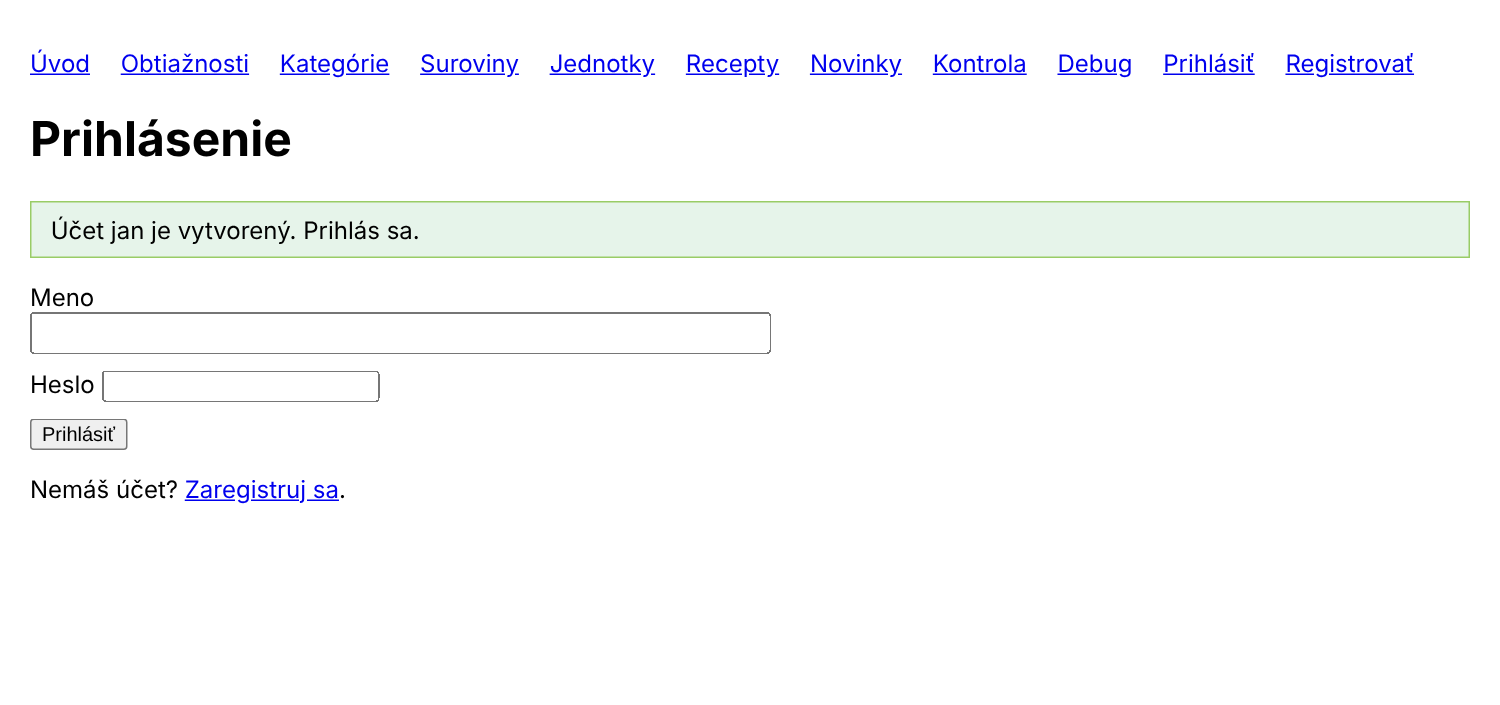
Požiadavka 3: GET /login. Pošle ju prehliadač sám podľa Location.
session_start()načíta súbor:$_SESSION=['count' => 2, 'flash' => 'Účet jan je vytvorený. Prihlás sa.'].dispatch(): routeGET /loginsedí →loginForm($request)→render('login', [...])→view('login', [...]):addGlobal('flash', 'Účet jan je vytvorený. Prihlás sa.'), potomunset($_SESSION['flash']); Twig vyrobí stránku prihlásenia so zeleným rámčekom.send():200. PHP uloží$_SESSION=['count' => 2]– flash je preč,F5ukáže formulár bez rámčeka.
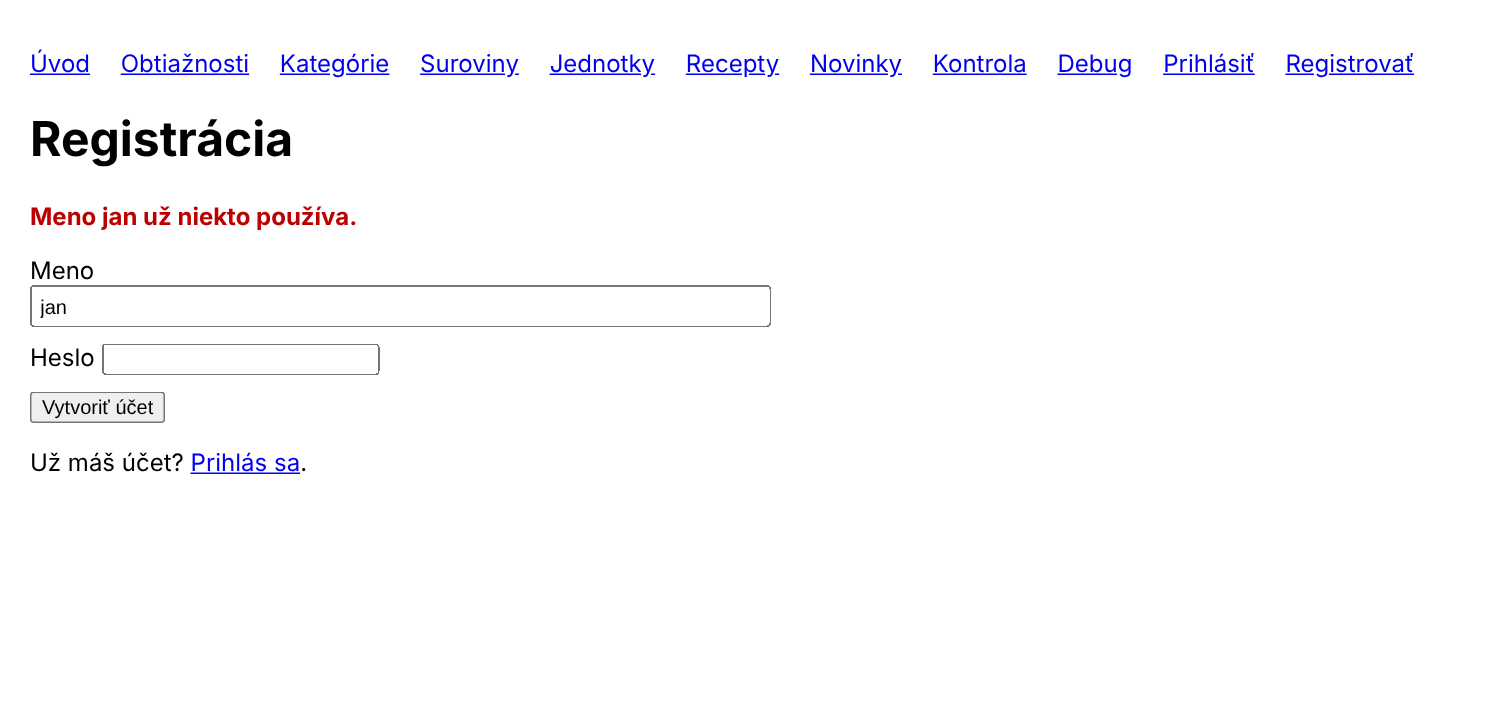
Keď je meno obsadené: Ján Novák skúsi registráciu s menom jan druhýkrát. V kroku 4 požiadavky 2 vráti findByUsername('jan') pole so záznamom, $error = 'Meno jan už niekto používa.', register() zavolá render('register', ['old' => ['username' => 'jan'], 'error' => …]): odpoveď 200 s formulárom, hláškou a vyplneným menom; pole hesla je prázdne. Nič sa nevložilo.
Ján Novák sa prihlási
Čo Ján Novák chce: napísať jan a tajne123, kliknúť na Prihlásiť a vidieť v menu svoje meno. Požiadavky POST /login a GET /.
Požiadavka 1: POST /login, telo username=jan&password=tajne123, cookie PHPSESSID=7q608csmmajh0rbggc6jo2746p.
session_start():$_SESSION=['count' => 2].dispatch(): routePOST /login→login($request).login():findByUsername('jan')vráti['id' => 1, 'username' => 'jan', 'password_hash' => '$2y$10$1eP…', 'created_at' => '2026-11-02 14:09:11'];password_verify('tajne123', '$2y$10$1eP…')vrátitrue; podmienkaifneplatí;Auth::login($user)zapíše$_SESSION['user_id'] = 1;flash('Vitaj, jan.');Response::redirect('/').send():302,Location: /student/jan.novak/it/cv06/. PHP uloží do súborucount|i:2;user_id|i:1;flash|s:11:"Vitaj, jan.";(s:11= text s 11 znakmi).
Požiadavka 2: GET /.
session_start():$_SESSION=['count' => 2, 'user_id' => 1, 'flash' => 'Vitaj, jan.'].dispatch(): routeGET /→HomeController::index()→render('home', ['title' => 'Úvod'])→view('home', [...]):Auth::user()nájdeuser_id=1,getById(1)vráti záznam, bezpassword_hashide doaddGlobal('user', …);addGlobal('flash', 'Vitaj, jan.');unset. Vlayout.twigplatí{% if user %}→ menu s menom a tlačidlom;{% if flash %}→ zelený rámček.send():200. PHP uložícount|i:2;user_id|i:1;.
Od tejto chvíle každá požiadavka Jána Nováka nesie cookie 7q608csmmajh0rbggc6jo2746p, session_start() k nej nájde user_id = 1 a view() dá do každej stránky user = Ján Novák. Peter v inom prehliadači má inú cookie, iný súbor, user = null.
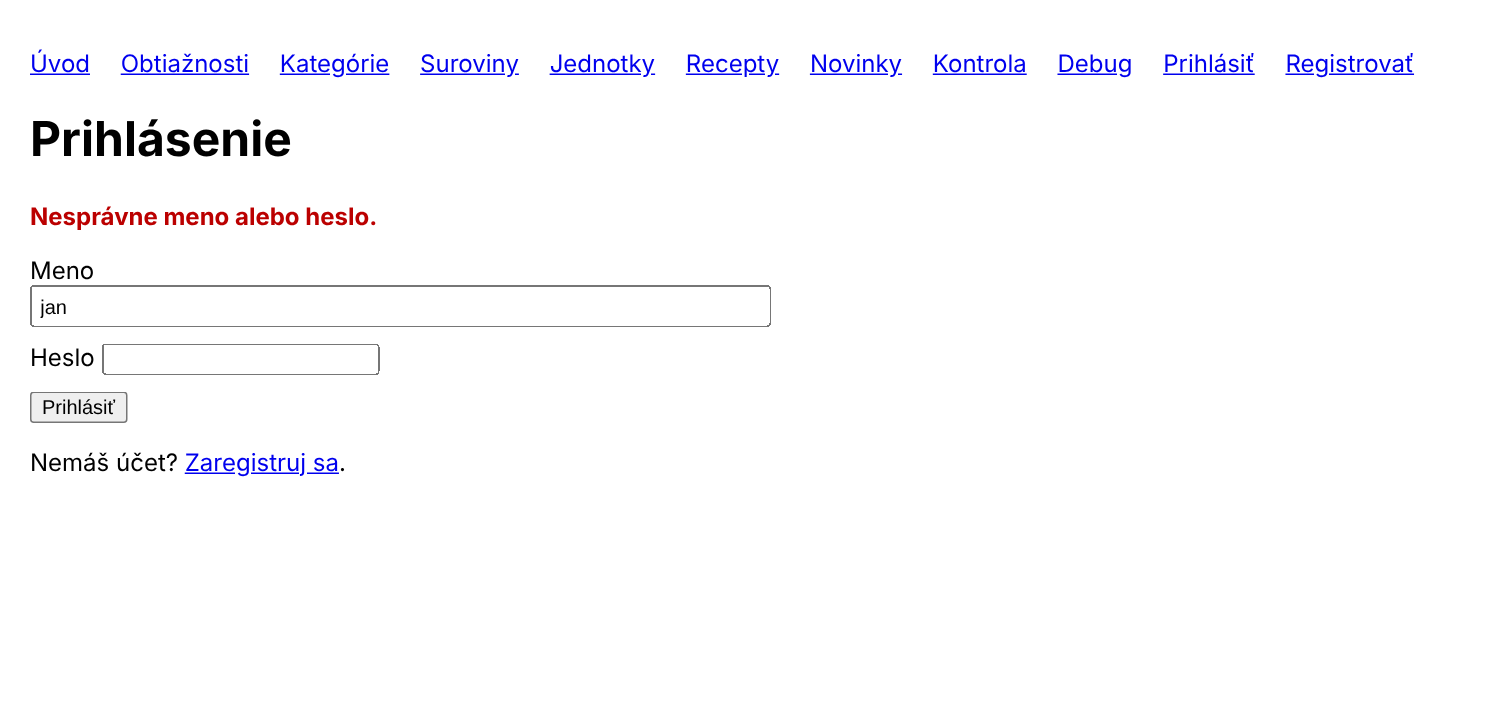
Keď je heslo zlé: Ján Novák napíše Tajne123. V kroku 3 vráti password_verify('Tajne123', '$2y$10$1eP…') false, podmienka platí, login() vráti render('login', ['old' => ['username' => 'jan'], 'error' => 'Nesprávne meno alebo heslo.']): 200, formulár s hláškou a menom. user_id sa do session nezapísalo. Pre meno, ktoré v tabuľke nie je, je $user null a hláška je tá istá.
Ján Novák klikne na Odhlásiť
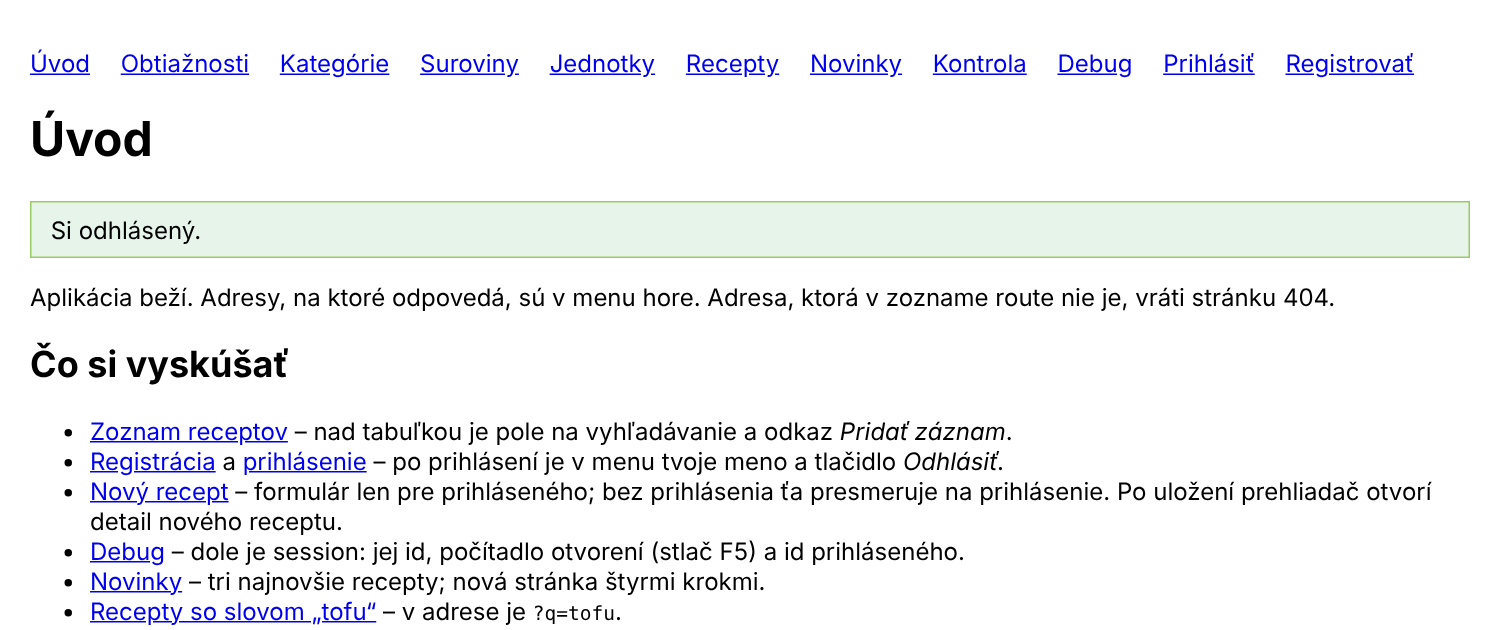
Tlačidlo v layout.twig pošle POST /student/jan.novak/it/cv06/logout s prázdnym telom a s cookie. dispatch(): route POST /logout → logout($request): Auth::logout() vykoná unset($_SESSION['user_id']); flash('Si odhlásený.'); 302 na /. Prehliadač pošle GET /: Auth::user() vráti null, menu má Prihlásiť a Registrovať, rámček „Si odhlásený.“ Cookie ostáva v prehliadači a súbor session na serveri tiež (count|i:2;) – len bez user_id.
Peter otvorí formulár bez prihlásenia
Čo Ján Novák chce: aby nový recept mohol pridať len prihlásený. Odkaz Pridať záznam sa návštevníkovi bez prihlásenia neukáže, a keby adresu …/cv06/recipes/new napísal rovno do riadku prehliadača (alebo poslal POST /recipes bez formulára), controller ho pošle na prihlásenie. Zmena v RecipeController: na začiatku create() a rovnako na začiatku store():
use App\Auth;                                                       // k ostatným use

    // GET /recipes/new: prázdny formulár. Len pre prihláseného.
    public function create(Request $request): Response
    {
        if (!Auth::check()) {                                       // v session nie je user_id
            flash('Na pridanie receptu sa najprv prihlás.');
            return Response::redirect('/login');                    // 302 → prehliadač otvorí GET /login, na ňom je flash message
        }
        return $this->render('form', [                              // ďalej ako doteraz
            …
        ]);
    }

    // POST /recipes: údaje z formulára. Uloží záznam a presmeruje na jeho detail. Len pre prihláseného.
    public function store(Request $request): Response
    {
        if (!Auth::check()) {                                       // tá istá kontrola ako v create(): POST sa dá poslať aj bez formulára
            flash('Na pridanie receptu sa najprv prihlás.');
            return Response::redirect('/login');
        }
        $data = [                                                   // ďalej ako doteraz
            …
A zmena v list.twig: odkaz Pridať záznam len pre prihláseného, cez premennú user z addGlobal:
{% if create is defined and user %}   {# create = adresa formulára na nový záznam; kategórie: nie je → preskočiť.
                                         user = prihlásený (premenná z addGlobal vo view()); návštevník bez prihlásenia odkaz nevidí #}
    <p><a href="{{ url(create) }}">Pridať záznam</a></p>   {# recepty: url('/recipes/new') → …/cv06/recipes/new #}
{% endif %}
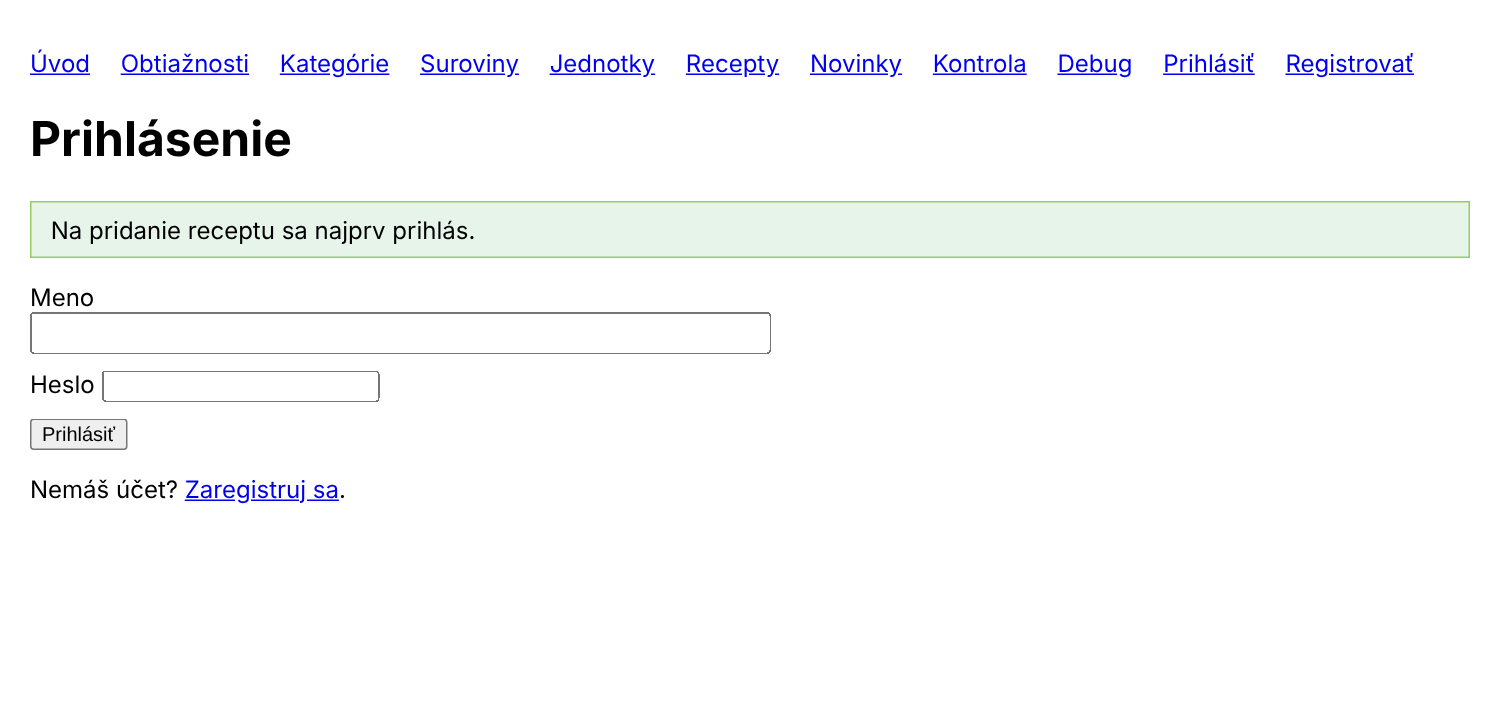
Peter (bez prihlásenia) napíše do adresy …/cv06/recipes/new: dispatch() → create($request); Auth::check() vráti false; flash(…); 302 na /login. Prehliadač otvorí GET /login so zeleným rámčekom:
Ján Novák (prihlásený) vidí v zozname receptov odkaz Pridať záznam a create() mu vráti formulár ako doteraz:
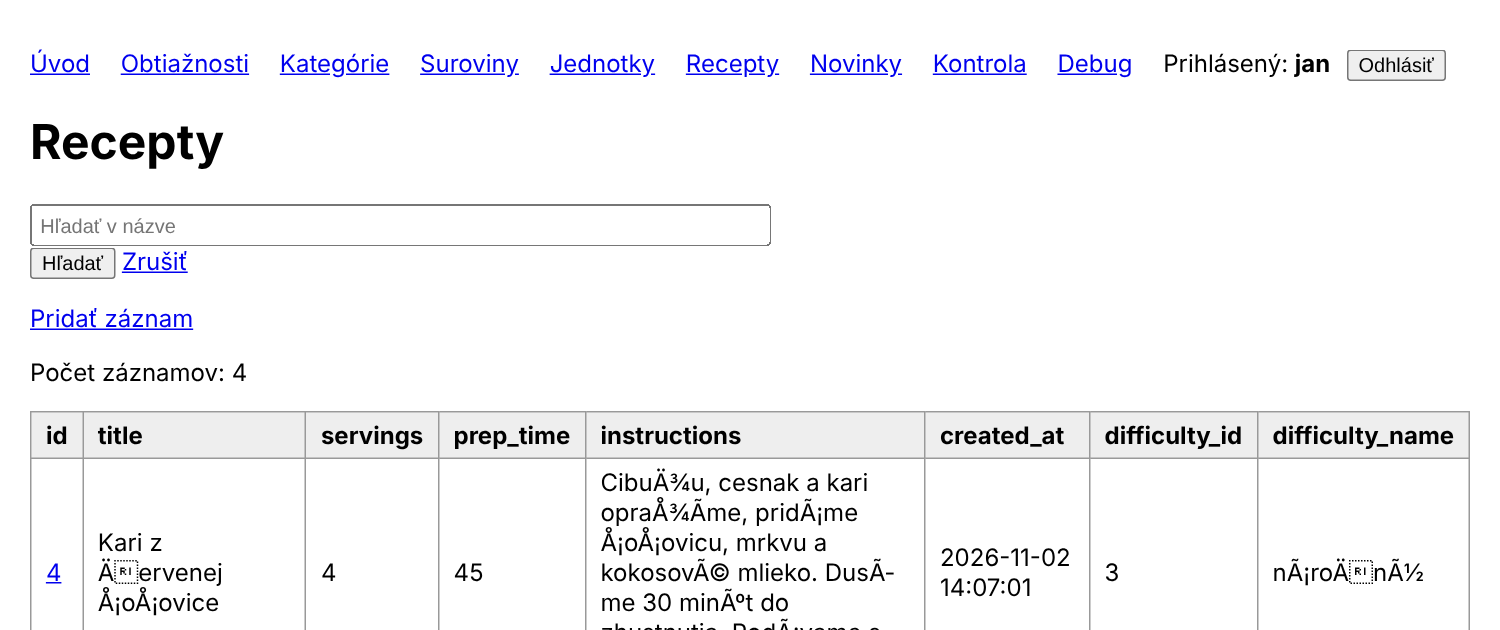
Kontrola v controlleri je tá, ktorá chráni; {% if user %} v template len skrýva odkaz, aby stránka nelákala na niečo, čo sa nedá.
Kontrola a debug: session na stránke
Čo Ján Novák chce: na stránke Kontrola vidieť aj tabuľku users a na stránke Debug id session, kde na serveri leží jej súbor, počítadlo a kto je prihlásený. V kontrola() stačí pridať UserModel medzi modely:
use App\Auth;                                                           // k ostatným use
use App\Model\UserModel;

        foreach ([new DifficultyModel(), new CategoryModel(), new IngredientModel(), new UnitModel(), new RecipeModel(), new UserModel()] as $model) {
            // kontrola(): UserModel ako ďalší prvok poľa; describe() → 'Používatelia', getCount() → 1, getAll() → riadky aj s password_hash
Template nemá prístup k $_SESSION, preto HomeController::debug() dá hodnoty do poľa pre render(), ako pri $_SERVER:
    // Debug: template nemá prístup k $_SERVER ani k $_SESSION, preto controller dá potrebné hodnoty do poľa pre render().
    public function debug(Request $request): Response
    {
        // Počítadlo v session: pri prvej návšteve kľúč nie je (?? dá 0), potom 1, 2, 3 … Každý prehliadač má svoje.
        $_SESSION['count'] = ($_SESSION['count'] ?? 0) + 1;

        return $this->render('debug', [                                      // views/debug.twig
            'title'   => 'Debug',
            'server'  => [
                'REQUEST_METHOD' => $_SERVER['REQUEST_METHOD'],
                'SCRIPT_NAME'    => $_SERVER['SCRIPT_NAME'],
                'REQUEST_URI'    => $_SERVER['REQUEST_URI'],
            ],
            'request' => $request,                                           // objekt; template volá jeho metódy (request.method)
            'session' => [
                'id'      => session_id(),                                   // '7q608csmmajh0rbggc6jo2746p' – to isté, čo je v cookie PHPSESSID
                'path'    => session_save_path() ?: sys_get_temp_dir(),      // priečinok na serveri, kde leží súbor sess_<id>
                'count'   => $_SESSION['count'],                             // koľkýkrát tento prehliadač otvoril /debug
                'user_id' => Auth::id() ?? '(nikto)',                        // id prihláseného cez Auth, alebo text pre návštevníka
            ],
        ]);
    }
?? pri Auth::id() je z minulých týždňov: keď je vľavo null, použije sa text vpravo. ?: v session_save_path() ?: sys_get_temp_dir() je skratka pre „ak ľavá strana nie je prázdna, použi ju, inak pravú“: na sigma.tuke.sk vráti session_save_path() nastavený priečinok; keby bol prázdny, PHP ukladá sessions do dočasného priečinka systému, ktorý vráti sys_get_temp_dir().
Nová časť debug.twig zo session.zip:
<h2>Session</h2>
<table>
    <tr><th>session_id()</th>          <td>{{ session.id }}</td></tr>        {# → 7q608csmmajh0rbggc6jo2746p; v F12 → Application → Cookies je to hodnota PHPSESSID #}
    <tr><th>session_save_path()</th>   <td>{{ session.path }}</td></tr>      {# → /var/lib/php/sessions; tam je súbor sess_7q608csmmajh0rbggc6jo2746p #}
    <tr><th>$_SESSION['count']</th>    <td>{{ session.count }}</td></tr>     {# → 1; po F5 2, 3, …; v anonymnom okne znova 1 #}
    <tr><th>$_SESSION['user_id']</th>  <td>{{ session.user_id }}</td></tr>   {# → (nikto); po prihlásení id, napríklad 1 #}
</table>
<p>Zmeň koniec adresy, napríklad na <code>/debug?q=tofu</code>, a sleduj, čo sa v tabuľke zmení. Stlač F5 a sleduj počítadlo;
potom otvor tú istú adresu v anonymnom okne (Ctrl+Shift+N).</p>
Výsledok je obrázok pri pojme session_start() vyššie. Toto je prvá stránka, ktorú si po rozbalení session.zip skontroluješ na sigma.tuke.sk: keď po F5 rastie count, session na serveri funguje.
Stránka len pre prihlásených: postup
Čo Ján Novák chce: vedieť, ako urobiť ktorúkoľvek ďalšiu stránku alebo akciu len pre prihlásených. Vždy ten istý postup: kontrola v controlleri, odkaz v template, kontrola v anonymnom okne.
1. Kontrola na začiatku metódy controllera – if s flash() a redirect(), ešte pred prácou s modelom:
        if (!Auth::check()) {
            flash('Najprv sa prihlás.');
            return Response::redirect('/login');
        }
Pri POST metóde (uloženie) rovnako ako pri GET (formulár): požiadavku POST vie poslať aj program bez formulára.
2. Odkaz v template len pre prihláseného – {% if user %} … {% endif %} okolo odkazu v layout.twig alebo list.twig. Premenná user je v každom template z addGlobal.
3. Kontrola v anonymnom okne (Ctrl+Shift+N, vo Firefoxe Ctrl+Shift+P): odkaz nevidno; adresa napísaná do riadku presmeruje na prihlásenie s flash message; po prihlásení v tom okne stránka funguje.
The methods for accounts – registration, login, logout – are in AuthController. The whole file, which Ján Novák writes following the sample:
<?php
declare(strict_types=1);

namespace App\Controller;

use App\Auth;
use App\Http\Request;
use App\Http\Response;
use App\Model\UserModel;

/** Registration, login and logout. Methods for the routes GET and POST /register, GET and POST /login, POST /logout. */
final class AuthController extends BaseController
{
    // GET /register: empty form
    public function registerForm(Request $request): Response
    {
        return $this->render('register', [
            'title' => 'Registrácia',
            'old'   => [],                                          // field values: none at the first display
            'error' => '',
        ]);
    }

    // POST /register: data from the form. Creates the user and redirects to login.
    public function register(Request $request): Response
    {
        $username = trim($request->post('username'));               // 'jan'
        $password = $request->post('password');                     // 'tajne123' – the password is neither trimmed nor changed
        $model    = new UserModel();

        $error = '';
        if ($username === '' || $password === '') {
            $error = 'Meno aj heslo sú povinné.';
        } elseif ($model->findByUsername($username) !== null) {     // SELECT … WHERE username = 'jan' found something
            $error = 'Meno ' . $username . ' už niekto používa.';
        }
        if ($error !== '') {
            return $this->render('register', [                      // the form again, with the message and the name; the password does not come back
                'title' => 'Registrácia',
                'old'   => ['username' => $username],
                'error' => $error,
            ]);
        }

        $model->insert($username, password_hash($password, PASSWORD_DEFAULT));   // the hash '$2y$10$…' goes into the table, not the password
        flash('Účet ' . $username . ' je vytvorený. Prihlás sa.');
        return Response::redirect('/login');                        // 302 + Location → the browser opens GET /login
    }

    // GET /login: empty form
    public function loginForm(Request $request): Response
    {
        return $this->render('login', [
            'title' => 'Prihlásenie',
            'old'   => [],
            'error' => '',
        ]);
    }

    // POST /login: checks name and password. On success writes the id into the session and redirects to the home page.
    public function login(Request $request): Response
    {
        $username = trim($request->post('username'));               // 'jan'
        $password = $request->post('password');                     // 'tajne123'
        $user     = (new UserModel())->findByUsername($username);   // the record from the table users, or null

        // password_verify('tajne123', '$2y$10$…') → true when the hash was made from this password; otherwise false.
        // The same message for an unknown name and for a wrong password: an attacker does not learn which names exist.
        if ($user === null || !password_verify($password, $user['password_hash'])) {
            return $this->render('login', [
                'title' => 'Prihlásenie',
                'old'   => ['username' => $username],               // the name stays in the field, the password does not
                'error' => 'Nesprávne meno alebo heslo.',
            ]);
        }

        Auth::login($user);                                         // $_SESSION['user_id'] = 1
        flash('Vitaj, ' . $user['username'] . '.');
        return Response::redirect('/');                             // 302 + Location → the browser opens GET /
    }

    // POST /logout: the button "Odhlásiť" in layout.twig
    public function logout(Request $request): Response
    {
        Auth::logout();                                             // unset($_SESSION['user_id'])
        flash('Si odhlásený.');
        return Response::redirect('/');
    }
}
And their routes in index.php, among the others:
// Accounts: the form and its submission have the same address, they differ in the HTTP method. Logout is POST only (a button, not a link).
$router->get('/register',     [AuthController::class, 'registerForm']);   // GET: empty form
$router->post('/register',    [AuthController::class, 'register']);       // POST: creates the account, 302 to /login
$router->get('/login',        [AuthController::class, 'loginForm']);
$router->post('/login',       [AuthController::class, 'login']);          // POST: checks the password, writes the id into the session, 302 to /
$router->post('/logout',      [AuthController::class, 'logout']);         // POST: deletes the id from the session, 302 to /
|| in an if means “or”: the condition holds when the name is empty or the password is empty. elseif is “otherwise, if”: it is tried only when the first condition did not hold – a taken name is looked up only with non-empty fields. ! before password_verify() means “not”: !true is false. In if ($user === null || !password_verify(…)) PHP does not even evaluate the second part when $user === null, so $user['password_hash'] does not crash for a user who does not exist.
Ján Novák registers: GET, POST, GET
What Ján Novák wants: an account jan with the password tajne123. He clicks Registrovať in the menu, fills in, clicks Vytvoriť účet and wants to see that it worked. The requests GET /register, POST /register and GET /login come out of it.
Request 1: GET /register. The link from layout.twig: url('/register') → /student/jan.novak/it/cv06/register.
- Apache runs
index.php;session_start()finds the cookiePHPSESSID=7q608csmmajh0rbggc6jo2746p(Ján Novák has already been on the application today) and loads the session file:$_SESSION=['count' => 2]. Request::fromGlobals():method()='GET',path()='/register'.dispatch(): the routeGET /registermatches →new AuthController()→registerForm($request).registerForm():render('register', [...])→view('register', [...]):Auth::user()returnsnull(nouser_idin the session),flashis''; Twig builds the page fromregister.twigandlayout.twigwith an empty form and with the links Prihlásiť and Registrovať in the menu.send():200, HTML. At the end of the request PHP stores$_SESSION(unchanged) into the file.
Request 2: POST /register. Ján Novák typed jan and tajne123 and clicked Vytvoriť účet.
- The browser sends
POST /student/jan.novak/it/cv06/registerwith the bodyusername=jan&password=tajne123and the headerCookie: PHPSESSID=7q608csmmajh0rbggc6jo2746p. - Apache runs
index.php;$_POST=['username' => 'jan', 'password' => 'tajne123'];session_start()loads the same session. dispatch(): skips theGETroutes; the routePOST /registermatches →register($request).register():$username='jan',$password='tajne123'; both non-empty;findByUsername('jan')runsSELECT * FROM users WHERE username = 'jan'→ nothing →null→$errorstays'';password_hash('tajne123', PASSWORD_DEFAULT)returns'$2y$10$1ePNCSGG29zL1ZaVJzeoc.BQXVrzkLxdg0fIOdQ07GsVRjra56H4a';insert('jan', '$2y$10$1eP…')runsINSERT INTO users (username, password_hash) VALUES ('jan', '$2y$10$1eP…'), the database assignsid=1;flash('Účet jan je vytvorený. Prihlás sa.')writes$_SESSION['flash'];Response::redirect('/login').send():302,Location: /student/jan.novak/it/cv06/login, empty body. PHP stores$_SESSION=['count' => 2, 'flash' => 'Účet jan je vytvorený. Prihlás sa.']into the file. The passwordtajne123was only in$_POSTand in$password; after this request it is nowhere.
Request 3: GET /login. The browser sends it itself according to Location.
session_start()loads the file:$_SESSION=['count' => 2, 'flash' => 'Účet jan je vytvorený. Prihlás sa.'].dispatch(): the routeGET /loginmatches →loginForm($request)→render('login', [...])→view('login', [...]):addGlobal('flash', 'Účet jan je vytvorený. Prihlás sa.'), thenunset($_SESSION['flash']); Twig builds the login page with the green box.send():200. PHP stores$_SESSION=['count' => 2]– the flash is gone,F5shows the form without the box.
When the name is taken: Ján Novák tries the registration with the name jan a second time. In step 4 of request 2 findByUsername('jan') returns the array with the record, $error = 'Meno jan už niekto používa.', register() calls render('register', ['old' => ['username' => 'jan'], 'error' => …]): a 200 response with the form, the message and the name filled in; the password field is empty. Nothing was inserted.
Ján Novák logs in
What Ján Novák wants: to type jan and tajne123, click Prihlásiť and see his name in the menu. The requests POST /login and GET /.
Request 1: POST /login, body username=jan&password=tajne123, cookie PHPSESSID=7q608csmmajh0rbggc6jo2746p.
session_start():$_SESSION=['count' => 2].dispatch(): the routePOST /login→login($request).login():findByUsername('jan')returns['id' => 1, 'username' => 'jan', 'password_hash' => '$2y$10$1eP…', 'created_at' => '2026-11-02 14:09:11'];password_verify('tajne123', '$2y$10$1eP…')returnstrue; theifcondition does not hold;Auth::login($user)writes$_SESSION['user_id'] = 1;flash('Vitaj, jan.');Response::redirect('/').send():302,Location: /student/jan.novak/it/cv06/. PHP storescount|i:2;user_id|i:1;flash|s:11:"Vitaj, jan.";into the file (s:11= a text of 11 characters).
Request 2: GET /.
session_start():$_SESSION=['count' => 2, 'user_id' => 1, 'flash' => 'Vitaj, jan.'].dispatch(): the routeGET /→HomeController::index()→render('home', ['title' => 'Úvod'])→view('home', [...]):Auth::user()findsuser_id=1,getById(1)returns the record, withoutpassword_hashit goes intoaddGlobal('user', …);addGlobal('flash', 'Vitaj, jan.');unset. Inlayout.twig{% if user %}holds → the menu with the name and the button;{% if flash %}→ the green box.send():200. PHP storescount|i:2;user_id|i:1;.
From this moment on every request of Ján Novák carries the cookie 7q608csmmajh0rbggc6jo2746p, session_start() finds user_id = 1 for it and view() puts user = Ján Novák into every page. Peter in another browser has another cookie, another file, user = null.
When the password is wrong: Ján Novák types Tajne123. In step 3 password_verify('Tajne123', '$2y$10$1eP…') returns false, the condition holds, login() returns render('login', ['old' => ['username' => 'jan'], 'error' => 'Nesprávne meno alebo heslo.']): 200, the form with the message and the name. user_id was not written into the session. For a name that is not in the table, $user is null and the message is the same.
Ján Novák clicks Odhlásiť
The button in layout.twig sends POST /student/jan.novak/it/cv06/logout with an empty body and with the cookie. dispatch(): the route POST /logout → logout($request): Auth::logout() runs unset($_SESSION['user_id']); flash('Si odhlásený.'); 302 to /. The browser sends GET /: Auth::user() returns null, the menu has Prihlásiť and Registrovať, the box “Si odhlásený.” The cookie stays in the browser and the session file on the server too (count|i:2;) – only without user_id.
Peter opens the form without login
What Ján Novák wants: only a logged-in user to be able to add a new recipe. The link Pridať záznam is not shown to a visitor without login, and if they typed the address …/cv06/recipes/new straight into the browser bar (or sent POST /recipes without the form), the controller sends them to login. A change in RecipeController: at the beginning of create() and the same at the beginning of store():
use App\Auth;                                                       // next to the other use lines

    // GET /recipes/new: empty form. For a logged-in user only.
    public function create(Request $request): Response
    {
        if (!Auth::check()) {                                       // no user_id in the session
            flash('Na pridanie receptu sa najprv prihlás.');
            return Response::redirect('/login');                    // 302 → the browser opens GET /login, the flash message is on it
        }
        return $this->render('form', [                              // further as before
            …
        ]);
    }

    // POST /recipes: data from the form. Saves the record and redirects to its detail. For a logged-in user only.
    public function store(Request $request): Response
    {
        if (!Auth::check()) {                                       // the same check as in create(): a POST can be sent without the form too
            flash('Na pridanie receptu sa najprv prihlás.');
            return Response::redirect('/login');
        }
        $data = [                                                   // further as before
            …
And a change in list.twig: the link Pridať záznam only for a logged-in user, through the variable user from addGlobal:
{% if create is defined and user %}   {# create = the address of the form for a new record; lookup tables: not there → skip.
                                         user = the logged-in user (the variable from addGlobal in view()); a visitor without login does not see the link #}
    <p><a href="{{ url(create) }}">Pridať záznam</a></p>   {# recipes: url('/recipes/new') → …/cv06/recipes/new #}
{% endif %}
Peter (without login) types …/cv06/recipes/new into the address: dispatch() → create($request); Auth::check() returns false; flash(…); 302 to /login. The browser opens GET /login with the green box:
Ján Novák (logged in) sees the link Pridať záznam in the recipe list and create() returns him the form as before:
The check in the controller is the one that protects; {% if user %} in the template only hides the link, so that the page does not invite to something that cannot be done.
Check and debug: the session on the page
What Ján Novák wants: to see the table users on the Kontrola page too, and on the Debug page the session id, where its file lies on the server, the counter and who is logged in. In kontrola() it is enough to add UserModel among the models:
use App\Auth;                                                           // next to the other use lines
use App\Model\UserModel;

        foreach ([new DifficultyModel(), new CategoryModel(), new IngredientModel(), new UnitModel(), new RecipeModel(), new UserModel()] as $model) {
            // kontrola(): UserModel as one more element of the array; describe() → 'Používatelia', getCount() → 1, getAll() → rows including password_hash
A template has no access to $_SESSION, so HomeController::debug() puts the values into the array for render(), as with $_SERVER:
    // Debug: a template has no access to $_SERVER or $_SESSION, so the controller puts the needed values into the array for render().
    public function debug(Request $request): Response
    {
        // Counter in the session: at the first visit the key is not there (?? gives 0), then 1, 2, 3 … Every browser has its own.
        $_SESSION['count'] = ($_SESSION['count'] ?? 0) + 1;

        return $this->render('debug', [                                      // views/debug.twig
            'title'   => 'Debug',
            'server'  => [
                'REQUEST_METHOD' => $_SERVER['REQUEST_METHOD'],
                'SCRIPT_NAME'    => $_SERVER['SCRIPT_NAME'],
                'REQUEST_URI'    => $_SERVER['REQUEST_URI'],
            ],
            'request' => $request,                                           // an object; the template calls its methods (request.method)
            'session' => [
                'id'      => session_id(),                                   // '7q608csmmajh0rbggc6jo2746p' – the same as in the cookie PHPSESSID
                'path'    => session_save_path() ?: sys_get_temp_dir(),      // the folder on the server where the file sess_<id> lies
                'count'   => $_SESSION['count'],                             // how many times this browser opened /debug
                'user_id' => Auth::id() ?? '(nikto)',                        // the logged-in user's id through Auth, or a text for a visitor
            ],
        ]);
    }
?? at Auth::id() is from the previous weeks: when the left side is null, the text on the right is used. ?: in session_save_path() ?: sys_get_temp_dir() is a short form of “if the left side is not empty, use it, otherwise the right one”: on sigma.tuke.sk session_save_path() returns the configured folder; if it were empty, PHP stores sessions in the system’s temporary folder, which sys_get_temp_dir() returns.
The new part of debug.twig from session.zip:
<h2>Session</h2>
<table>
    <tr><th>session_id()</th>          <td>{{ session.id }}</td></tr>        {# → 7q608csmmajh0rbggc6jo2746p; in F12 → Application → Cookies it is the value of PHPSESSID #}
    <tr><th>session_save_path()</th>   <td>{{ session.path }}</td></tr>      {# → /var/lib/php/sessions; the file sess_7q608csmmajh0rbggc6jo2746p is there #}
    <tr><th>$_SESSION['count']</th>    <td>{{ session.count }}</td></tr>     {# → 1; after F5 2, 3, …; in an incognito window 1 again #}
    <tr><th>$_SESSION['user_id']</th>  <td>{{ session.user_id }}</td></tr>   {# → (nikto); after login the id, for example 1 #}
</table>
<p>Zmeň koniec adresy, napríklad na <code>/debug?q=tofu</code>, a sleduj, čo sa v tabuľke zmení. Stlač F5 a sleduj počítadlo;
potom otvor tú istú adresu v anonymnom okne (Ctrl+Shift+N).</p>
The result is the picture at the term session_start() above. This is the first page you check on sigma.tuke.sk after unpacking session.zip: when count grows after F5, the session on the server works.
A page for logged-in users only: the procedure
What Ján Novák wants: to know how to make any further page or action for logged-in users only. Always the same procedure: a check in the controller, the link in the template, a check in an incognito window.
1. A check at the beginning of the controller method – an if with flash() and redirect(), before any work with the model:
        if (!Auth::check()) {
            flash('Najprv sa prihlás.');
            return Response::redirect('/login');
        }
In a POST method (saving) the same as in a GET one (the form): a POST request can be sent by a program without the form too.
2. The link in the template for a logged-in user only – {% if user %} … {% endif %} around the link in layout.twig or list.twig. The variable user is in every template from addGlobal.
3. A check in an incognito window (Ctrl+Shift+N, in Firefox Ctrl+Shift+P): the link is not visible; the address typed into the bar redirects to login with a flash message; after logging in in that window the page works.
Fyzická podoba: priečinky, súbory, kde je čoPhysical form: folders, files, where what is
Čo Ján Novák chce: vedieť, kde ktorý súbor leží, ktoré súbory sú v session.zip, ktoré píše sám, a kde fyzicky je cookie, session a hash.
Priečinky a súbory
Projekt cv06 Jána Nováka po dokončení cvičenia. Pri každom súbore je, odkiaľ je:
cv06/
├── .htaccess, .gitignore             z cv05 bez zmeny
├── composer.json, composer.lock      z cv05 bez zmeny (Twig)
├── config.php, config.example.php    z cv05 bez zmeny
├── index.php                         z cv05; Ján Novák dopíše session_start() a route pre účty
├── sql/
│   ├── schema.sql                    z cv05; Ján Novák dopíše CREATE TABLE users (a spustí ho v Adminer)
│   └── seed.sql                      z cv05 bez zmeny; používatelia sa pridávajú registráciou
├── src/
│   ├── Auth.php                      session.zip: login(), logout(), check(), user()
│   ├── Database.php                  z cv05 bez zmeny
│   ├── helpers.php                   session.zip: flash() a addGlobal() vo view(); e(), url() ostávajú
│   ├── Router.php                    z cv05 bez zmeny
│   ├── Http/Request.php, Response.php   z cv05 bez zmeny
│   ├── Controller/
│   │   ├── AuthController.php        píše Ján Novák podľa vzoru v časti „Ako to funguje“
│   │   ├── HomeController.php        z cv05; Ján Novák dopíše session do debug() a UserModel do kontrola()
│   │   ├── RecipeController.php      z cv05; Ján Novák dopíše kontrolu Auth::check() do create() a store()
│   │   └── BaseController.php, CategoryController.php …   z cv05 bez zmeny
│   └── Model/
│       ├── UserModel.php             píše Ján Novák podľa vzoru pri pojme UserModel
│       └── BaseModel.php, RecipeModel.php, CategoryModel.php …   z cv05 bez zmeny
├── views/
│   ├── layout.twig                   z cv05; Ján Novák dopíše {% if user %} do menu a {% if flash %} pod nadpis
│   ├── list.twig                     z cv05; Ján Novák dopíše „and user“ do if pri odkaze Pridať záznam
│   ├── register.twig, login.twig     session.zip
│   ├── debug.twig                    session.zip (pribudla tabuľka Session)
│   └── home.twig, show.twig, form.twig, 404.twig, kontrola.twig, novinky.twig, about.twig   z cv05 bez zmeny
└── vendor/                           composer install podľa composer.lock; na GitHub nejde, na sigma ide
V session.zip sú src/Auth.php, src/helpers.php, views/register.twig, views/login.twig, views/debug.twig. Študent píše CREATE TABLE users, UserModel, AuthController, session_start() a route pre účty, zmeny v layout.twig, list.twig, HomeController a RecipeController, a jednu vlastnú vec v session. Vzorová aplikácia aj s vendor/ je vo vzor-cv06.zip.
Kde je čo: cookie, súbor session, hash
Prihlásený Ján Novák má svoj stav v prehliadači, na serveri a v databáze, každé miesto s iným obsahom:
- V prehliadači Jána Nováka, cookie pre doménu sigma.tuke.sk:
PHPSESSID=7q608csmmajh0rbggc6jo2746p. Len číslo lístka. Vidí ho vF12→ Application → Cookies. Keď cookie zmaže (v tom istom okne: pravý klik na riadok → Delete), ďalšia požiadavka ide bez lístka,session_start()založí novú prázdnu session a Ján Novák je odhlásený. - Na sigma.tuke.sk, súbor
sess_7q608csmmajh0rbggc6jo2746pv priečinkusession_save_path():count|i:2;user_id|i:1;. Len id používateľa a hodnoty, ktoré tam aplikácia zapísala. Súbor číta a píše iba PHP; cez web ani cez WinSCP sa k nemu Ján Novák nedostane. Funkcia PHPsession_destroy()by ho zmazala celý; naša aplikácia pri odhlásení maže len kľúčuser_id. PHP staré súbory po čase maže (nastaveniesession.gc_maxlifetime, bežne 24 minút bez požiadavky), vtedy je používateľ odhlásený a prihlási sa znova. - V databáze, tabuľka
users:id1,usernamejan,password_hash$2y$10$1eP…. Trvalé. Heslo tam nie je.
Heslo tajne123 je len v hlave Jána Nováka a na chvíľu v $_POST pri registrácii a pri prihlásení.
Kde čo beží a kedy
- Kubeflow, raz:
unzip session.zip,composer install, Upload Folder. Potom zmeny v.phpa.twigidú na sigma.tuke.sk uložením v editore.CREATE TABLE userssa spustí raz v Adminer. - sigma.tuke.sk, pri každej požiadavke: Apache spustí
index.php;session_start()podľa cookie načíta súbor session do$_SESSION; Router nájde route; controller sa pri chránených metódach opýtaAuth::check();view()zavoláAuth::user()(SELECTdousers) a dáuseraflashdo každého template;send()pošle HTML; PHP uloží$_SESSIONdo súboru a všetko ostatné zahodí. PriPOST /loginnavyšepassword_verify()(asi 50 ms) a priPOST /registerpassword_hash().
Najčastejšie chyby a čo znamenajú
| Čo vidíš | Príčina | Riešenie |
|---|---|---|
Warning: session_start(): Session cannot be started after headers have already been sent |
pred session_start() sa niečo vypísalo: medzera alebo prázdny riadok pred <?php v index.php, alebo echo |
<?php je prvý znak súboru; session_start() hneď po require vendor/autoload.php |
po prihlásení je v menu stále Prihlásiť; count na /debug je vždy 1 |
session_start() v index.php chýba, alebo prehliadač cookies blokuje |
riadok session_start() pred Request::fromGlobals(); v F12 → Application → Cookies musí byť PHPSESSID |
Class "App\Auth" not found |
src/Auth.php zo session.zip chýba, alebo Upload Folder nedobehol |
unzip -o session.zip; pravý klik na src → Upload Folder |
Call to undefined function flash() |
src/helpers.php je ešte z cv05 |
helpers.php zo session.zip |
Variable "user" does not exist in "layout.twig" |
view() je ešte bez addGlobal (starý helpers.php) |
helpers.php zo session.zip |
Variable "session" does not exist in "debug.twig" |
HomeController::debug() ešte nedáva do poľa kľúč session |
dopíš session do debug() podľa vzoru |
SQLSTATE[42S02]: Base table or view not found: 1146 Table 'jan_novak.users' doesn't exist |
CREATE TABLE users bol dopísaný do schema.sql, ale v Adminer sa nespustil |
Adminer → SQL command → vlož len CREATE TABLE users … → Execute |
SQLSTATE[23000]: … Duplicate entry 'jan' for key 'username' |
register() volá insert() bez predchádzajúcej kontroly findByUsername() |
kontrola mena pred insert() podľa vzoru |
| po registrácii hláška „Nesprávne meno alebo heslo“ pri správnom hesle | v insert() ide do tabuľky heslo namiesto hashu, alebo password_verify() dostal parametre naopak |
insert($username, password_hash($password, PASSWORD_DEFAULT)); password_verify($password, $user['password_hash']) |
| stránka 404 po kliknutí na Odhlásiť | v index.php chýba post('/logout', …), alebo tlačidlo je mimo <form method="post"> |
route post(); formulár podľa layout.twig vyššie |
stránka 404 pri GET …/cv06/logout napísanom do adresy |
pre GET /logout route nie je – to je správne |
nič; odhlásenie je tlačidlo |
| po odhlásení v jednom okne je druhé okno tiež odhlásené | obe okná toho istého prehliadača majú tú istú cookie, teda tú istú session – to je správne | nič; iný používateľ = anonymné okno alebo iný prehliadač |
| flash message sa zobrazí dvakrát alebo vôbec | flash() zavolané bez následného redirect(), alebo redirect() bez flash() |
flash(...) a hneď return Response::redirect(...) |
Undefined array key "password_hash" |
findByUsername() vrátil null a kód naň siahol pred kontrolou |
najprv $user === null, až potom password_verify() (poradie v if podľa vzoru) |
What Ján Novák wants: to know where each file lies, which files are in session.zip, which he writes himself, and where physically the cookie, the session and the hash are.
Folders and files
Ján Novák’s project cv06 after finishing the lab. Next to every file is where it comes from:
cv06/
├── .htaccess, .gitignore             from cv05 unchanged
├── composer.json, composer.lock      from cv05 unchanged (Twig)
├── config.php, config.example.php    from cv05 unchanged
├── index.php                         from cv05; Ján Novák adds session_start() and the routes for accounts
├── sql/
│   ├── schema.sql                    from cv05; Ján Novák adds CREATE TABLE users (and runs it in Adminer)
│   └── seed.sql                      from cv05 unchanged; users are added by registration
├── src/
│   ├── Auth.php                      session.zip: login(), logout(), check(), user()
│   ├── Database.php                  from cv05 unchanged
│   ├── helpers.php                   session.zip: flash() and addGlobal() in view(); e(), url() stay
│   ├── Router.php                    from cv05 unchanged
│   ├── Http/Request.php, Response.php   from cv05 unchanged
│   ├── Controller/
│   │   ├── AuthController.php        written by Ján Novák following the sample in the part "How it works"
│   │   ├── HomeController.php        from cv05; Ján Novák adds the session to debug() and UserModel to kontrola()
│   │   ├── RecipeController.php      from cv05; Ján Novák adds the Auth::check() check to create() and store()
│   │   └── BaseController.php, CategoryController.php …   from cv05 unchanged
│   └── Model/
│       ├── UserModel.php             written by Ján Novák following the sample at the term UserModel
│       └── BaseModel.php, RecipeModel.php, CategoryModel.php …   from cv05 unchanged
├── views/
│   ├── layout.twig                   from cv05; Ján Novák adds {% if user %} to the menu and {% if flash %} under the heading
│   ├── list.twig                     from cv05; Ján Novák adds "and user" to the if at the link Pridať záznam
│   ├── register.twig, login.twig     session.zip
│   ├── debug.twig                    session.zip (the Session table was added)
│   └── home.twig, show.twig, form.twig, 404.twig, kontrola.twig, novinky.twig, about.twig   from cv05 unchanged
└── vendor/                           composer install according to composer.lock; not on GitHub, goes to sigma
session.zip holds src/Auth.php, src/helpers.php, views/register.twig, views/login.twig, views/debug.twig. The student writes CREATE TABLE users, UserModel, AuthController, session_start() and the routes for accounts, the changes in layout.twig, list.twig, HomeController and RecipeController, and one thing of their own in the session. The sample application including vendor/ is in vzor-cv06.zip.
Where what is: cookie, session file, hash
The logged-in Ján Novák has his state in the browser, on the server and in the database, each place with different content:
- In Ján Novák’s browser, a cookie for the domain sigma.tuke.sk:
PHPSESSID=7q608csmmajh0rbggc6jo2746p. Only the ticket number. He sees it inF12→ Application → Cookies. When he deletes the cookie (in the same window: right-click on the row → Delete), the next request goes without a ticket,session_start()creates a new empty session and Ján Novák is logged out. - On sigma.tuke.sk, the file
sess_7q608csmmajh0rbggc6jo2746pin the foldersession_save_path():count|i:2;user_id|i:1;. Only the user’s id and the values the application wrote there. Only PHP reads and writes the file; Ján Novák cannot reach it through the web or through WinSCP. The PHP functionsession_destroy()would delete it whole; our application deletes only the keyuser_idat logout. PHP deletes old files after a while (the settingsession.gc_maxlifetime, commonly 24 minutes without a request); then the user is logged out and logs in again. - In the database, the table
users:id1,usernamejan,password_hash$2y$10$1eP…. Permanent. The password is not there.
The password tajne123 is only in Ján Novák’s head and for a moment in $_POST at registration and at login.
Where what runs and when
- Kubeflow, once:
unzip session.zip,composer install, Upload Folder. Then changes in.phpand.twigfiles go to sigma.tuke.sk by saving in the editor.CREATE TABLE usersis run once in Adminer. - sigma.tuke.sk, at every request: Apache runs
index.php;session_start()loads the session file into$_SESSIONaccording to the cookie; the Router finds the route; at protected methods the controller asksAuth::check();view()callsAuth::user()(aSELECTintousers) and putsuserandflashinto every template;send()sends the HTML; PHP stores$_SESSIONinto the file and throws everything else away. AtPOST /loginadditionallypassword_verify()(about 50 ms) and atPOST /registerpassword_hash().
The most common errors and what they mean
| What you see | Cause | Fix |
|---|---|---|
Warning: session_start(): Session cannot be started after headers have already been sent |
something was output before session_start(): a space or an empty line before <?php in index.php, or an echo |
<?php is the first character of the file; session_start() right after require vendor/autoload.php |
after login the menu still shows Prihlásiť; count on /debug is always 1 |
session_start() is missing in index.php, or the browser blocks cookies |
the line session_start() before Request::fromGlobals(); F12 → Application → Cookies must show PHPSESSID |
Class "App\Auth" not found |
src/Auth.php from session.zip is missing, or Upload Folder did not finish |
unzip -o session.zip; right-click src → Upload Folder |
Call to undefined function flash() |
src/helpers.php is still from cv05 |
helpers.php from session.zip |
Variable "user" does not exist in "layout.twig" |
view() is still without addGlobal (old helpers.php) |
helpers.php from session.zip |
Variable "session" does not exist in "debug.twig" |
HomeController::debug() does not put the key session into the array yet |
add session to debug() following the sample |
SQLSTATE[42S02]: Base table or view not found: 1146 Table 'jan_novak.users' doesn't exist |
CREATE TABLE users was added to schema.sql but not run in Adminer |
Adminer → SQL command → paste only CREATE TABLE users … → Execute |
SQLSTATE[23000]: … Duplicate entry 'jan' for key 'username' |
register() calls insert() without the preceding findByUsername() check |
the name check before insert() following the sample |
| after registration the message “Nesprávne meno alebo heslo” with the correct password | insert() puts the password instead of the hash into the table, or password_verify() got its parameters swapped |
insert($username, password_hash($password, PASSWORD_DEFAULT)); password_verify($password, $user['password_hash']) |
| 404 page after clicking Odhlásiť | post('/logout', …) is missing in index.php, or the button is outside <form method="post"> |
the post() route; the form as in layout.twig above |
404 page at GET …/cv06/logout typed into the address |
there is no route for GET /logout – that is correct |
nothing; logout is a button |
| after logging out in one window the other window is logged out too | both windows of the same browser have the same cookie, hence the same session – that is correct | nothing; another user = incognito window or another browser |
| the flash message shows twice or not at all | flash() called without a following redirect(), or redirect() without flash() |
flash(...) and right away return Response::redirect(...) |
Undefined array key "password_hash" |
findByUsername() returned null and the code reached into it before the check |
first $user === null, only then password_verify() (the order in the if as in the sample) |
Úlohy na cvičenieLab tasks
Úlohy dostaneš aj ako zadanie cv06 v Classroom 50, sú v súbore README.md v tvojom repository. Repository má na začiatku len README.md.
Link na zadanie cv06: prijať zadanie (platí pre skupiny B. Stehlíkovej; ostatné skupiny dostanú link od svojho cvičiaceho)
Úloha 7.1: Repository cv06 z cv05, session.zip a session_start(). Prijmi zadanie cv06 (link je vyššie) a repository naklonuj do ~/web/it/cv06 podľa návodu 04 Odovzdávanie, časti 2 a 3 (posledné slovo príkazu je cv06). Potom v termináli v Kubeflow:
cd ~/web/it
cp cv05/config.php cv05/config.example.php cv05/.gitignore cv05/.htaccess cv05/composer.json cv05/composer.lock cv05/index.php cv06/
cp -r cv05/sql cv05/src cv05/views cv06/
cd cv06
curl -O https://beata.stehlikova.website.tuke.sk/it/session.zip
unzip -o session.zip && rm session.zip
composer install
Čo sa stalo: z cv05 sú v cv06 všetky súbory okrem .git/, vendor/ a README.md. unzip -o prepísal src/helpers.php a views/debug.twig a pridal src/Auth.php, views/register.twig, views/login.twig. composer install vyrobil vendor/ presne podľa composer.lock (výpis končí Generating autoload files).
V index.php dopíš riadok session_start(); hneď za require __DIR__ . '/vendor/autoload.php'; (riadky use ostávajú za ním; dôležité je, aby bol pred Request::fromGlobals() a pred akýmkoľvek výstupom). Nový helpers.php používa UserModel, ktorý ešte nemáš – vadiť to nebude, kým sa niekto neprihlási (Auth::user() sa k nemu bez user_id v session nedostane); napíšeš ho v úlohe 7.3. V src/Controller/HomeController.php dopíš do debug() počítadlo a kľúč session podľa časti „Kontrola a debug: session na stránke“.
Pravý klik na priečinok cv06 → Upload Folder. Kontrola v prehliadači: https://sigma.tuke.sk/student/meno.priezvisko/it/cv06/ ukáže úvodnú stránku; …/cv06/debug ukáže dole tabuľku Session – stlač F5 trikrát, $_SESSION['count'] rastie; v anonymnom okne (Ctrl+Shift+N, vo Firefoxe Ctrl+Shift+P) je count 1 a iné session_id(). V F12 → Application → Cookies → sigma.tuke.sk je PHPSESSID s tou istou hodnotou ako session_id(). Commit a push: cv06: session.
Úloha 7.2: Tabuľka users. Do sql/schema.sql dopíš CREATE TABLE users podľa pojmu „Tabuľka users a UNIQUE“ – kamkoľvek medzi tabuľky, users nemá cudzí kľúč ani naň nikto neukazuje (a DROP TABLE IF EXISTS users; k ostatným DROP). V Adminer → SQL command vlož len príkaz CREATE TABLE users … a klikni na Execute (celý schema.sql by zmazal tvoje dáta). Kontrola: v Adminer je tabuľka users so stĺpcami id, username, password_hash, created_at, prázdna; v zozname tabuliek na …/cv06/kontrola pribudla users.
Úloha 7.3: UserModel. Vytvor src/Model/UserModel.php podľa pojmu „UserModel: findByUsername() a insert()“. V HomeController::kontrola() pridaj new UserModel() do poľa modelov a use App\Model\UserModel; k riadkom use. Kontrola: …/cv06/kontrola ukáže Používatelia – 0 záznamov a pod tým hlášku o seed.sql – tá je tu v poriadku, používatelia pribudnú registráciou.
Úloha 7.4: AuthController a jeho route. Vytvor src/Controller/AuthController.php podľa vzoru v časti „Ako to funguje“ (registerForm(), register(), loginForm(), login(), logout()). V index.php pridaj use App\Controller\AuthController; a route: get('/register'), post('/register'), get('/login'), post('/login'), post('/logout'). Kontrola (menu zatiaľ odkazy nemá, adresy napíš do riadku prehliadača): …/cv06/register ukáže formulár; po vyplnení mena a hesla a kliknutí na Vytvoriť účet sa otvorí …/cv06/login; v Adminer je v users riadok a v password_hash je 60 znakov začínajúcich $2y$; registrácia s tým istým menom vráti formulár s hláškou; prihlásenie so zlým heslom vráti formulár s hláškou; prihlásenie so správnym heslom otvorí úvod a …/cv06/debug ukáže v $_SESSION['user_id'] tvoje id.
Úloha 7.5: Meno a flash v layout.twig. Do views/layout.twig dopíš na koniec <nav> blok {% if user %} … {% else %} … {% endif %} (formulár s tlačidlom Odhlásiť, odkazy Prihlásiť a Registrovať) a pod <h1> blok {% if flash %} podľa pojmov „addGlobal()“ a „Flash message“; do <style> pridaj .flash a nav form podľa toho istého bloku. Kontrola: bez prihlásenia sú v menu Prihlásiť a Registrovať; po prihlásení je v menu tvoje meno a tlačidlo, pod nadpisom zelená správa „Vitaj, …“; F5 správu zmaže; klik na Odhlásiť vráti úvod so správou „Si odhlásený.“ a menu bez mena; …/cv06/logout napísané do adresy vráti stránku „Nenájdené“.
Úloha 7.6: Formulár len pre prihlásených. Do create() a store() v controlleri hlavnej entity dopíš na začiatok kontrolu Auth::check() podľa časti „Peter otvorí formulár bez prihlásenia“ (a use App\Auth;). V views/list.twig zmeň {% if create is defined %} na {% if create is defined and user %}. Kontrola v anonymnom okne: v zozname hlavnej entity odkaz Pridať záznam nie je; …/cv06/tvoja-entita/new napísané do adresy otvorí prihlásenie so správou „… najprv prihlás.“; po prihlásení v tom istom okne je odkaz v zozname a formulár uloží záznam ako doteraz.
Úloha 7.7: Niečo v session bez prihlásenia. Vymysli jednu vec, ktorú si tvoja aplikácia zapamätá o návštevníkovi v session aj bez prihlásenia, a urob ju. Námety: naposledy hľadaný text ($_SESSION['last_q'] v index() hlavnej entity, vypísaný v list.twig ako „Naposledy si hľadal: …“); posledné tri otvorené záznamy (náročnejší: show() pridá id na začiatok poľa $_SESSION['last'], array_unique() a array_slice() z PHP ho očistia a skrátia, layout.twig alebo vlastná stránka ich vypíše ako odkazy); zvolená hodnota číselníka ako filter zoznamu, ktorý ostane zvolený aj po návrate zo stránky detailu; počet návštev s časom prvej návštevy. Podmienky: zápis do $_SESSION v controlleri, hodnota do template cez pole pre render() (alebo cez addGlobal), výpis s {% if %} pre prípad, že v session ešte nič nie je. Čo si aplikácia pamätá a kde, napíš do README.md. Kontrola: v jednom okne hodnota ostáva medzi kliknutiami, v anonymnom okne začína od nuly.
Úloha 7.8: Odovzdanie. Commit a push podľa návodu 04 Odovzdávanie, časť 5. Na GitHub skontroluj, že je tam sql/schema.sql s tabuľkou users, src/Auth.php, src/Model/UserModel.php, src/Controller/AuthController.php, views/register.twig a views/login.twig, index.php so session_start() a route pre účty. config.php a vendor/ tam nie sú.
Úloha 7.9: Kontrola na sigma.tuke.sk. Pravý klik na cv06 → Upload Folder. V bežnom okne: registrácia, prihlásenie, pridanie záznamu, odhlásenie. V anonymnom okne: menu bez mena, formulár hlavnej entity presmeruje na prihlásenie, tvoja vec zo 7.7 začína od nuly. Over, že …/cv06/nic ukáže stránku „Nenájdené“, …/cv06/vendor/autoload.php vráti 404 a …/cv06/config.php vráti 403. Do README.md doplň do tabuľky route riadky pre registráciu, prihlásenie a odhlásenie a pod ňu zoznam, čo všetko aplikácia ukladá do session (kľúč, kto ho zapisuje, kto ho číta).
Hodnotenie: 1 bod. Aplikácia vo webovom priestore na sigma.tuke.sk má registráciu, prihlásenie a odhlásenie, heslá v tabuľke users sú ako hash, v menu je meno prihláseného, formulár hlavnej entity je len pre prihlásených a aplikácia si v session pamätá jednu vec navyše. Commit a push najneskôr do nasledujúceho cvičenia.
You get the tasks also as the assignment cv06 in Classroom 50, in the file README.md in your repository. The repository has only README.md at the start.
Link to the assignment cv06: accept the assignment (valid for B. Stehlíková’s groups; other groups get the link from their lab teacher)
Task 7.1: Repository cv06 from cv05, session.zip and session_start(). Accept the assignment cv06 (the link is above) and clone the repository into ~/web/it/cv06 following the guide 04 Submitting, parts 2 and 3 (the last word of the command is cv06). Then in the terminal in Kubeflow:
cd ~/web/it
cp cv05/config.php cv05/config.example.php cv05/.gitignore cv05/.htaccess cv05/composer.json cv05/composer.lock cv05/index.php cv06/
cp -r cv05/sql cv05/src cv05/views cv06/
cd cv06
curl -O https://beata.stehlikova.website.tuke.sk/it/session.zip
unzip -o session.zip && rm session.zip
composer install
What happened: all files from cv05 are in cv06 except .git/, vendor/ and README.md. unzip -o replaced src/helpers.php and views/debug.twig and added src/Auth.php, views/register.twig, views/login.twig. composer install made vendor/ exactly according to composer.lock (the output ends with Generating autoload files).
In index.php add the line session_start(); right after require __DIR__ . '/vendor/autoload.php'; (the use lines stay after it; what matters is that it comes before Request::fromGlobals() and before any output). The new helpers.php uses UserModel, which you do not have yet – that does no harm until somebody logs in (Auth::user() does not reach it without user_id in the session); you write it in task 7.3. In src/Controller/HomeController.php add the counter and the key session to debug() following the part “Check and debug: the session on the page”.
Right-click the folder cv06 → Upload Folder. Check in the browser: https://sigma.tuke.sk/student/meno.priezvisko/it/cv06/ shows the home page; …/cv06/debug shows the Session table at the bottom – press F5 three times, $_SESSION['count'] grows; in an incognito window (Ctrl+Shift+N, in Firefox Ctrl+Shift+P) count is 1 and session_id() differs. In F12 → Application → Cookies → sigma.tuke.sk there is PHPSESSID with the same value as session_id(). Commit and push: cv06: session.
Task 7.2: The table users. Add CREATE TABLE users to sql/schema.sql following the term “The table users and UNIQUE” – anywhere among the tables, users has no foreign key and nothing points to it (and DROP TABLE IF EXISTS users; next to the other DROPs). In Adminer → SQL command paste only the command CREATE TABLE users … and click Execute (the whole schema.sql would delete your data). Check: Adminer shows the table users with the columns id, username, password_hash, created_at, empty; users appeared in the list of tables on …/cv06/kontrola.
Task 7.3: UserModel. Create src/Model/UserModel.php following the term “UserModel: findByUsername() and insert()”. In HomeController::kontrola() add new UserModel() to the array of models and use App\Model\UserModel; to the use lines. Check: …/cv06/kontrola shows Používatelia – 0 záznamov and under it the message about seed.sql – that is fine here, users are added by registration.
Task 7.4: AuthController and its routes. Create src/Controller/AuthController.php following the sample in the part “How it works” (registerForm(), register(), loginForm(), login(), logout()). In index.php add use App\Controller\AuthController; and the routes: get('/register'), post('/register'), get('/login'), post('/login'), post('/logout'). Check (the menu has no links yet, type the addresses into the browser bar): …/cv06/register shows the form; after filling in a name and a password and clicking Vytvoriť účet, …/cv06/login opens; in Adminer the table users has a row and password_hash holds 60 characters starting with $2y$; registration with the same name returns the form with a message; login with a wrong password returns the form with a message; login with the correct password opens the home page and …/cv06/debug shows your id in $_SESSION['user_id'].
Task 7.5: Name and flash in layout.twig. Add to the end of <nav> in views/layout.twig the block {% if user %} … {% else %} … {% endif %} (the form with the button Odhlásiť, the links Prihlásiť and Registrovať) and under <h1> the block {% if flash %} following the terms “addGlobal()” and “Flash message”; add .flash and nav form to <style> following the same block. Check: without login the menu has Prihlásiť and Registrovať; after login the menu has your name and the button, under the heading a green message “Vitaj, …”; F5 removes the message; a click on Odhlásiť returns the home page with the message “Si odhlásený.” and the menu without the name; …/cv06/logout typed into the address returns the “Nenájdené” page.
Task 7.6: The form for logged-in users only. At the beginning of create() and store() in the main entity controller add the Auth::check() check following the part “Peter opens the form without login” (and use App\Auth;). In views/list.twig change {% if create is defined %} to {% if create is defined and user %}. Check in an incognito window: the main entity list has no link Pridať záznam; …/cv06/your-entity/new typed into the address opens login with the message “… najprv prihlás.”; after logging in in the same window the link is in the list and the form saves a record as before.
Task 7.7: Something in the session without login. Think up one thing your application remembers about a visitor in the session even without login, and make it. Ideas: the last searched text ($_SESSION['last_q'] in the main entity’s index(), printed in list.twig as “Naposledy si hľadal: …”); the last three opened records (harder: show() adds the id to the start of the array $_SESSION['last'], array_unique() and array_slice() from PHP clean and shorten it, layout.twig or a page of your own prints them as links); a chosen lookup table value as a list filter that stays chosen after returning from the detail page; the number of visits with the time of the first visit. Conditions: a write into $_SESSION in a controller, the value into the template through the array for render() (or through addGlobal), output with {% if %} for the case that there is nothing in the session yet. Write what the application remembers and where into README.md. Check: in one window the value stays between clicks, in an incognito window it starts from zero.
Task 7.8: Submission. Commit and push following the guide 04 Submitting, part 5. On GitHub check that there is sql/schema.sql with the table users, src/Auth.php, src/Model/UserModel.php, src/Controller/AuthController.php, views/register.twig and views/login.twig, index.php with session_start() and the routes for accounts. config.php and vendor/ are not there.
Task 7.9: Check on sigma.tuke.sk. Right-click cv06 → Upload Folder. In a normal window: registration, login, adding a record, logout. In an incognito window: the menu without a name, the main entity form redirects to login, your thing from 7.7 starts from zero. Verify that …/cv06/nic shows the “Nenájdené” page, …/cv06/vendor/autoload.php returns 404 and …/cv06/config.php returns 403. Add the rows for registration, login and logout to the route table in README.md and under it a list of everything the application stores in the session (key, who writes it, who reads it).
Grading: 1 point. The application in your web space on sigma.tuke.sk has registration, login and logout, the passwords in the table users are hashes, the menu shows the logged-in user’s name, the main entity form is for logged-in users only and the application remembers one more thing in the session. Commit and push by the next lab at the latest.
Obhajoba a live codingDefence and live coding
Pri obhajobe budú použité iba zverejnené otázky a úlohy. Druhý míľnik (tento týždeň) pokrýva týždne 5–7: dostaneš jednu položku z „Vysvetli“, jednu z „Uprav“ a jednu zo „Zdôvodni“ z tohto týždňa alebo z predchádzajúcich dvoch, spolu cca 5 minút. Pred obhajobou skopíruj projekt do obhajoba2 postupom zo stránky 5. týždňa (mkdir, cp -r cv06/. obhajoba2/, rm -rf obhajoba2/.git, Upload Folder); live coding sa robí v obhajoba2, odovzdané cv06 ostáva nedotknuté.
Vysvetli (code walkthrough)
Nad svojím projektom vieš povedať:
- Čo znamená, že HTTP je stateless; ukáž v karte Network požiadavky a povedz, podľa čoho server spozná, že sú od teba.
- Čo je cookie, kto ju posiela prvý, kto ju posiela potom; ukáž
Set-CookieaCookiev karte Network aPHPSESSIDv karte Application. - Čo urobí
session_start()krok za krokom; kde na serveri je súbor session a čo je v ňom po tvojom prihlásení. - Čo je v cookie a čo v súbore session; prečo je v cookie len id.
- Čo robí počítadlo na stránke
/debug; prečo v anonymnom okne začína od 1. - Ukáž tabuľku
usersv Adminer; čo je v stĺpcipassword_hasha prečo tam nie je heslo. - Čo robí
password_hash(): vstup, výstup, prečo dve volania s tým istým heslom dajú iný výsledok. - Čo robí
password_verify()a ako vie overiť heslo, keď hash sa nedá otočiť späť. - Čo znamená
UNIQUEpriusernamea čo sa stane pri druhomINSERTs tým istým menom; kde tomu aplikácia predchádza. - Čo robí
findByUsername(); prečo ide meno cez parameter:username. - Čo robia
login(),logout(),check(),id()auser()vAutha prečo sústatic; ktorý kľúč v$_SESSIONpoužívajú. - Prečo
Auth::user()robíSELECTpri každej požiadavke, keď by sa meno dalo uložiť do session. - Čo robí
addGlobal()voview(); ukáž, kde vlayout.twigsauserpoužíva a odkiaľlayout.twigtú hodnotu má. - Čo je flash message, kto ju zapíše, kto ju prečíta, kedy zmizne; ukáž na svojom prihlásení.
- Čo robí
register()krok za krokom; čo sa stane pri prázdnom hesle a čo pri obsadenom mene. - Čo robí
login()krok za krokom; prečo je tá istá hláška pre neznáme meno aj zlé heslo. - Prečo
if ($user === null || !password_verify(...))nespadne pre neznáme meno. - Čo robí
logout(); čo ostane v session a v prehliadači po odhlásení. - Prečo je Odhlásiť tlačidlo vo formulári
POSTa nie odkaz. - Čo robí kontrola s
Auth::check()vcreate()astore(); prečo sú v oboch metódach. - Čo robí
and uservlist.twig; ktorá kontrola – v template alebo v controlleri – skutočne chráni a prečo. - Ukáž svoju vec zo 7.7: ktorý controller zapisuje do session, ktorý template číta, čo sa stane v anonymnom okne.
Uprav (live coding)
Zmeny v kóde vidno v prehliadači po uložení. Účty, ktoré pri tom pridáš, môžeš potom zmazať v Adminer.
- Pridaj do
register()kontrolu dĺžky hesla: aspoň 6 znakov (strlen()), hláška doerror; ukáž, že registrácia s krátkym heslom vráti formulár. - Pridaj do
register()druhé pole Heslo znova (password2vregister.twig) a kontrolu, že sa obe heslá zhodujú. - Po registrácii rovno prihlás (
Auth::login()vregister()) a presmeruj na úvod namiesto na/login; ukáž v karte Network302aLocation. - Pridaj do
layout.twigvedľa mena dátum registrácie:{{ user.created_at|date('d.m.Y') }}. - Zapíš do session čas prihlásenia (
$_SESSION['login_at'] = date('H:i')vlogin()) a vypíš ho na stránke/debug. - Zmeň
Auth::logout()tak, aby zmazal celú session ($_SESSION = []; session_destroy();), a ukáž na/debug, že po odhlásení začínacountod 1. - Pridaj do
Authmetóduusername(): string, ktorá vráti meno prihláseného alebo'návštevník', a použi ju vHomeController::index()navar_dump(Auth::username())– potom výpis zmaž. - Urob stránku
/debuglen pre prihlásených (kontrola sAuth::check()); ukáž v anonymnom okne presmerovanie. - Ukáž v Adminer, ako vyzerá password hash
abcvyrobený cezpassword_hash()v termináli (php -r 'echo password_hash("abc", PASSWORD_DEFAULT);'), vlož ho do tabuľkyusersk novému menu cez Adminer a prihlás sa ním. - Zmaž v
F12→ Application → Cookies riadokPHPSESSIDa klikni na ľubovoľný odkaz; vysvetli, čo sa stalo so session a s prihlásením. - Vysvetli bez spúšťania, čo vráti
dispatch()preGET /logout,POST /loginbez tela,GET /registerpo prihlásení; potom over.
Zdôvodni (design decisions)
- Prečo si server pamätá používateľa cez cookie a súbor na serveri, a nie tak, že by meno posielal v každej adrese (
?user=jan). - Prečo je v cookie len náhodné id a nie meno alebo id používateľa.
- Prečo sa heslo ukladá ako hash a nie zašifrované (šifru možno otočiť späť, hash nie).
- Prečo
password_hash()používa salt a prečo trvá 50 ms, keď bežné funkcie trvajú mikrosekundy. - Prečo je
$_SESSION['user_id']čítané a zapisované len v triedeAuth, a nie priamo v controlleroch. - Prečo
useraflashidú do template cezaddGlobal()a nie cez pole prerender()v každom controlleri. - Prečo je kontrola
Auth::check()v controlleri, keď odkaz je už skrytý v template. - Prečo odhlásenie ide cez
POSTa nie cez odkaz. - Prečo po prihlásení nasleduje presmerovanie s flash message a nie rovno úvodná stránka vrátená z
login().
Definition of Done
Týždeň je hotový, keď:
index.phpmásession_start()predRequest::fromGlobals();…/cv06/debugukazuje session acountpoF5rastie,- v databáze je tabuľka
userssusername UNIQUEapassword_hash; je aj vsql/schema.sql, UserModelmáfindByUsername()ainsert();…/cv06/kontrolaukazuje Používatelia,AuthControllermáregisterForm(),register(),loginForm(),login(),logout()aindex.phpmá ich route;GET …/cv06/logoutvráti stránku „Nenájdené“,- registrácia uloží do
usershash ($2y$…), obsadené meno aj prázdne polia vrátia formulár s hláškou, - prihlásenie so zlým heslom vráti formulár s hláškou; so správnym otvorí úvod so správou „Vitaj, …“, ktorá po
F5zmizne, - v menu je meno prihláseného a tlačidlo Odhlásiť; po odhlásení sú tam Prihlásiť a Registrovať,
- v anonymnom okne nie je odkaz Pridať záznam a
…/tvoja-entita/newpresmeruje na prihlásenie, - aplikácia si v session pamätá jednu vec navyše, popísanú v
README.md, README.mdmá v tabuľke route riadky pre účty a zoznam kľúčov v session,- commit a push sú na GitHub,
vendor/aniconfig.phpv repository nie sú.
Only the published questions and tasks are used at the defence. The second milestone (this week) covers weeks 5–7: you get one item from “Explain”, one from “Modify” and one from “Justify” from this week or from the previous two, about 5 minutes in all. Before the defence copy the project into obhajoba2 with the procedure from the week 5 page (mkdir, cp -r cv06/. obhajoba2/, rm -rf obhajoba2/.git, Upload Folder); live coding is done in obhajoba2, the submitted cv06 stays untouched.
Explain (code walkthrough)
Over your own project you can say:
- What it means that HTTP is stateless; show the requests in the Network tab and say by what the server recognises that they are from you.
- What a cookie is, who sends it first, who sends it afterwards; show
Set-CookieandCookiein the Network tab andPHPSESSIDin the Application tab. - What
session_start()does step by step; where on the server the session file is and what is in it after your login. - What is in the cookie and what in the session file; why the cookie holds only an id.
- What the counter on the
/debugpage does; why it starts from 1 in an incognito window. - Show the table
usersin Adminer; what is in the columnpassword_hashand why the password is not there. - What
password_hash()does: input, output, why two calls with the same password give a different result. - What
password_verify()does and how it can verify a password when the hash cannot be turned back. - What
UNIQUEatusernamemeans and what happens at a secondINSERTwith the same name; where the application prevents it. - What
findByUsername()does; why the name goes through the parameter:username. - What
login(),logout(),check(),id()anduser()inAuthdo and why they arestatic; which key in$_SESSIONthey use. - Why
Auth::user()runs aSELECTat every request, when the name could be stored in the session. - What
addGlobal()does inview(); show wherelayout.twigusesuserand wherelayout.twiggets that value from. - What a flash message is, who writes it, who reads it, when it disappears; show it on your login.
- What
register()does step by step; what happens at an empty password and what at a taken name. - What
login()does step by step; why the message is the same for an unknown name and for a wrong password. - Why
if ($user === null || !password_verify(...))does not crash for an unknown name. - What
logout()does; what stays in the session and in the browser after logout. - Why Odhlásiť is a button in a
POSTform and not a link. - What the check with
Auth::check()increate()andstore()does; why they are in both methods. - What
and userdoes inlist.twig; which check – in the template or in the controller – really protects and why. - Show your thing from 7.7: which controller writes into the session, which template reads, what happens in an incognito window.
Modify (live coding)
Changes in the code are visible in the browser after saving. Accounts you add can be deleted in Adminer afterwards.
- Add a password length check to
register(): at least 6 characters (strlen()), the message intoerror; show that registration with a short password returns the form. - Add a second field Heslo znova (
password2inregister.twig) toregister()and a check that both passwords match. - Log in right after registration (
Auth::login()inregister()) and redirect to the home page instead of/login; show302andLocationin the Network tab. - Add the registration date next to the name in
layout.twig:{{ user.created_at|date('d.m.Y') }}. - Write the login time into the session (
$_SESSION['login_at'] = date('H:i')inlogin()) and print it on the/debugpage. - Change
Auth::logout()so that it deletes the whole session ($_SESSION = []; session_destroy();), and show on/debugthat after logoutcountstarts from 1. - Add a method
username(): stringtoAuththat returns the logged-in user’s name or'návštevník', and use it inHomeController::index()forvar_dump(Auth::username())– then remove the output. - Make the
/debugpage for logged-in users only (the check withAuth::check()); show the redirect in an incognito window. - Show in Adminer what the hash of the password
abcmade throughpassword_hash()in the terminal looks like (php -r 'echo password_hash("abc", PASSWORD_DEFAULT);'), insert it into the tableuserswith a new name through Adminer and log in with it. - Delete the row
PHPSESSIDinF12→ Application → Cookies and click any link; explain what happened to the session and to the login. - Explain without running what
dispatch()returns forGET /logout,POST /loginwithout a body,GET /registerafter login; then verify.
Justify (design decisions)
- Why the server remembers the user through a cookie and a file on the server, and not by sending the name in every address (
?user=jan). - Why the cookie holds only a random id and not the name or the user’s id.
- Why the password is stored as a hash and not encrypted (a cipher can be turned back, a hash cannot).
- Why
password_hash()uses a salt and why it takes 50 ms when ordinary functions take microseconds. - Why
$_SESSION['user_id']is read and written only in the classAuth, and not directly in the controllers. - Why
userandflashgo into the templates throughaddGlobal()and not through the array forrender()in every controller. - Why the
Auth::check()check is in the controller when the link is already hidden in the template. - Why logout goes through
POSTand not through a link. - Why a redirect with a flash message follows the login and not the home page returned straight from
login().
Definition of Done
The week is done when:
index.phphassession_start()beforeRequest::fromGlobals();…/cv06/debugshows the session andcountgrows afterF5,- the database has the table
userswithusername UNIQUEandpassword_hash; it is insql/schema.sqltoo, UserModelhasfindByUsername()andinsert();…/cv06/kontrolashows Používatelia,AuthControllerhasregisterForm(),register(),loginForm(),login(),logout()andindex.phphas their routes;GET …/cv06/logoutreturns the “Nenájdené” page,- registration stores a hash (
$2y$…) intousers, a taken name and empty fields return the form with a message, - login with a wrong password returns the form with a message; with the correct one it opens the home page with the message “Vitaj, …”, which disappears after
F5, - the menu shows the logged-in user’s name and the button Odhlásiť; after logout it shows Prihlásiť and Registrovať,
- in an incognito window there is no link Pridať záznam and
…/your-entity/newredirects to login, - the application remembers one more thing in the session, described in
README.md, README.mdhas the rows for accounts in the route table and a list of the session keys,- commit and push are on GitHub, neither
vendor/norconfig.phpis in the repository.